Are you looking for the best WordPress code snippets plugins? If you are, keep reading this article. Here, we will show you seven of the best WordPress code snippets plugins you need to try!
Adding custom code is often necessary when customizing a WordPress website. Whether you want to add tracking scripts, modify site functionality, or insert small PHP snippets, editing theme files directly can be risky.

A single mistake in the code can break your website or cause errors that are difficult to fix. This is where WordPress code snippets plugins become extremely useful.
These plugins allow you to safely add and manage custom code without modifying core files or your theme’s functions file. They provide an organized interface for storing, activating, or deactivating snippets as needed.
In this guide, we will explore the best WordPress code snippets plugins that help you add custom code safely while keeping your website stable and easy to manage.
First, let’s see what WordPress code snippets plugins are and why you need to use them.
What Are WordPress Code Snippets Plugins
WordPress code snippets plugins are tools that allow users to safely add custom code to their websites without editing theme files or core WordPress files.
Normally, developers add small pieces of code to the functions.php file to modify functionality or add new features. However, editing this file directly can be risky because a small mistake in the code can break the entire website.
Code snippets plugins provide a safer and more organized way to manage custom code. They let you add, edit, enable, or disable snippets from a user-friendly dashboard.
Many plugins also support multiple code types, such as PHP, CSS, JavaScript, and HTML. By using these plugins, website owners can implement custom functionality while keeping their site stable, easier to manage, and less dependent on theme modifications.
What to Look for In WordPress Code Snippets Plugins
When choosing a WordPress code snippets plugin, it is important to focus on features that make adding and managing custom code safe, organized, and easy.
- Support for Multiple Code Types – The plugin should allow you to add different code types, such as PHP, CSS, JavaScript, and HTML.
- Safe Code Execution – Look for plugins that include error handling or safe-mode features to prevent your website from breaking if a snippet contains errors.
- Snippet Management Tools – A good plugin should let you organize, enable, disable, and edit snippets easily from a centralized dashboard.
- Conditional Logic – Some plugins allow you to run snippets only on specific pages, user roles, or conditions, which provides greater flexibility.
- Regular Updates and Compatibility – Choose plugins that are actively maintained and compatible with the latest WordPress versions.
Best 7 WordPress Code Snippets Plugins
| Plugin | Code Types Supported | Placement Options | Conditional Logic | Snippet Management | Best Use Case |
|---|---|---|---|---|---|
| Simple Custom CSS and JS | CSS, JS, HTML | Header, Footer, Frontend, Admin | Limited | Basic snippet editor | Adding custom CSS or JavaScript tweaks |
| Header Footer Code Manager | HTML, CSS, JS | Header, Footer, Before/After Content | Yes | Snippet dashboard with targeting | Adding tracking scripts or header/footer code |
| Insert PHP Code Snippet | PHP | Pages, posts, shortcodes | Limited | Basic snippet storage | Running PHP snippets with shortcodes |
| WPCode | PHP, JS, CSS, HTML | Header, Footer, Global, Conditional locations | Yes | Advanced snippet library | Managing multiple code snippets safely |
| Woody Code Snippets | PHP, JS, CSS, HTML | Header, Footer, Content areas | Yes | Categorized snippet manager | Conditional snippets and reusable code |
| WPCodeBox | PHP, JS, CSS, HTML | Hooks, header, footer, conditional rules | Yes | Advanced snippet management | Developer-focused code management |
| Code Snippets | PHP (main), CSS/JS via hooks | Runs via WordPress hooks | Yes | Organized snippet library | Safely adding PHP snippets instead of editing functions.php |
Let’s take a closer look at each option.
1. Simple Custom CSS and JS
Simple Custom CSS and JS is a lightweight WordPress plugin that allows users to add custom CSS and JavaScript code to their website without editing theme files. It provides a simple interface for creating and managing code snippets directly from the WordPress dashboard.
This plugin is particularly useful for making quick styling adjustments, adding small scripts, or customizing a website’s appearance and behavior.
Users can choose whether the code should load in the header or footer, and whether it should run on the frontend or within the admin area. By separating custom code from theme files, the plugin helps ensure that modifications remain intact even after theme updates.
Features
- Add custom CSS and JavaScript snippets
- Option to load code in the header or footer
- Separate snippets for the frontend or admin area
- Simple snippet management interface
- Safe storage of custom code outside theme files
Pros
- Very easy to use
- Lightweight and fast
- Ideal for quick styling and script changes
- Works with most WordPress themes
Cons
- Does not support PHP snippets
- Limited advanced management features
Pricing
Free plugin.
Header Footer Code Manager is a useful WordPress plugin that lets users add custom scripts to their websites without editing theme files. It provides a simple dashboard where you can insert code snippets such as tracking codes, verification tags, or custom JavaScript and place them in the header, footer, or other areas of your website.
The plugin also includes targeting options that let you control where each snippet runs, such as on specific posts or pages or across the entire site.
This makes it especially useful for adding analytics scripts, advertising tags, or third-party integrations. By keeping all scripts organized in one place, Header Footer Code Manager helps keep theme files cleaner and ensures custom code remains active even after theme updates.
Features
- Insert scripts in the header or footer
- Target specific pages, posts, or sitewide placement
- Support for HTML, CSS, and JavaScript snippets
- Snippet labeling and management dashboard
- Shortcode support for manual placement
Pros
- Easy way to add tracking and analytics scripts
- Flexible placement and targeting options
- Simple and organized interface
- Works with most WordPress themes
Cons
- Some advanced features require the premium version
Pricing
Free version available. Premium plans start at around $35 per year for additional features.
3. Insert PHP Code Snippet
Insert PHP Code Snippet is a reliable WordPress plugin that enables you to safely add custom PHP code to your website without touching theme or plugin files. It is designed for both beginners and experienced developers who want to enhance site functionality, create custom shortcodes, or add small tweaks efficiently.
The plugin provides a clear and intuitive interface for adding, editing, or disabling PHP snippets at any time. With built-in syntax highlighting and error checking, it minimizes the risk of breaking your website.
You can organize snippets into categories, making it simple and efficient to manage multiple code snippets. Compatible with all themes and plugins, this lightweight tool ensures your customizations remain intact even after updates or site changes.
Features
- Add PHP snippets globally or on specific pages/posts.
- Enable, disable, or delete snippets without losing data.
- Syntax highlighting and error checking for safer code.
- Categorize snippets for easy organization.
- Lightweight and performance-friendly plugin.
Pros
- Safe way to add custom PHP without editing files.
- Easy management of multiple snippets.
- Works with any theme or plugin without conflicts.
Cons
- Only supports PHP code (no HTML, CSS, or JS).
Pricing
Free plugin with all core features available on WordPress.org.
4. WPCode
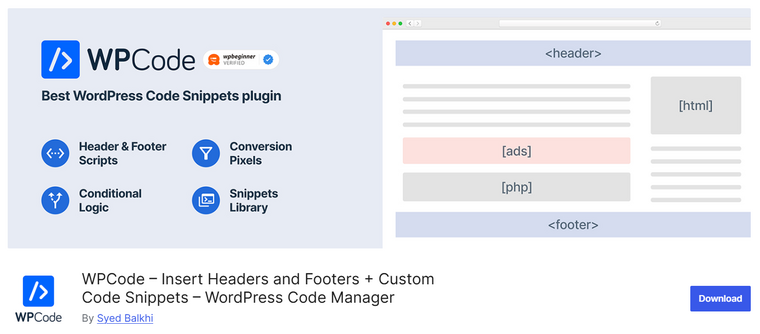
WPCode is a versatile WordPress plugin that allows you to safely add custom code snippets, including PHP, HTML, CSS, and JavaScript, without editing theme or plugin files.
It is perfect for developers and site owners who want to enhance functionality, insert tracking codes, or implement small customizations quickly. The plugin provides an intuitive interface for adding, editing, enabling, or disabling code snippets at any time.
With features like syntax highlighting, error detection, and code organization, WPCode minimizes the risk of site errors. You can categorize snippets, making it easy to manage multiple pieces of code across your website. Lightweight and compatible with all themes and plugins, WPCode ensures your customizations remain intact during updates and site changes.
Features
- Add PHP, HTML, CSS, and JavaScript snippets anywhere.
- Enable, disable, or delete snippets without losing data.
- Syntax highlighting and error detection for safety.
- Categorize and organize snippets for better management.
- Lightweight plugin with minimal impact on performance.
Pros
- Supports multiple code types, not just PHP.
- Easy to manage and organize all snippets.
- Compatible with any theme or plugin without conflicts.
Cons
- Advanced features may require coding knowledge.
- Some functions need careful placement to avoid errors.
Pricing
WPCode is a freemium plugin. The free version can be downloaded from the WordPress repository. The premium version will cost you $49 a year.
5. Woody Code Snippets
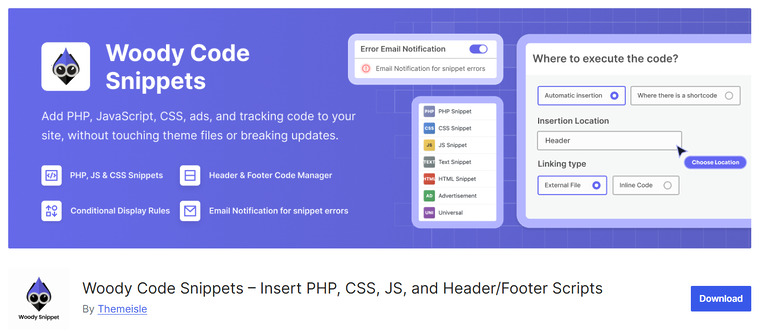
Woody Code Snippets is a versatile WordPress plugin that lets users insert and manage custom code without editing the theme or core files. It provides a centralized interface in the WordPress dashboard for adding, organizing, and controlling snippets.
The plugin supports multiple code types, including PHP, CSS, JavaScript, and HTML, making it useful for a wide range of customization tasks. Users can also control where snippets run, such as in the header, footer, or within specific parts of a page.
Woody Code Snippets includes conditional logic options that allow code to run only on selected pages, posts, or user roles. This flexibility makes it a practical choice for developers and site owners who need precise control over how and where custom code executes.
Features
- Supports PHP, CSS, JavaScript, and HTML snippets
- Header and footer code insertion
- Conditional logic for controlling snippet execution
- Shortcode support for reusable snippets
- Enable or disable snippets with a single click
Pros
- Supports multiple types of custom code
- Flexible placement and targeting options
- Useful for both simple and advanced customizations
- Snippets can be easily managed from the dashboard
Cons
- The interface may feel complex for beginners
- Some advanced targeting options require the premium version
Pricing
Free version available. Premium plans start at $39 per year for a single site license.
6. WPCodeBox
WPCodeBox is a robust WordPress plugin that allows you to safely add and manage custom PHP, HTML, CSS, and JavaScript code snippets without touching your theme or plugin files.
It is designed for developers and site owners who want to implement custom functionality, tracking codes, or small site tweaks efficiently. The plugin provides a clean interface for adding, editing, enabling, or disabling snippets at any time.
With syntax highlighting, error checking, and snippet organization, WPCodeBox ensures your code runs smoothly without breaking your website. You can categorize snippets for better management, and it works seamlessly with any theme or plugin. Lightweight and reliable, it keeps your customizations intact even after site updates.
Features
- Add PHP, HTML, CSS, and JavaScript snippets anywhere.
- Enable, disable, or delete snippets without losing data.
- Syntax highlighting and error checking for safer code execution.
- Organize snippets into categories for easy management.
- Lightweight plugin with minimal impact on site performance.
Pros
- Supports multiple code types beyond PHP.
- Easy to manage and organize all snippets.
- Works with any theme or plugin without conflicts.
Cons
- Some advanced features require coding knowledge.
- Misplaced code snippets can still break certain pages.
Pricing
WPCodeBox is a premium plugin. The plan costs $39 per year.
7. Code Snippets
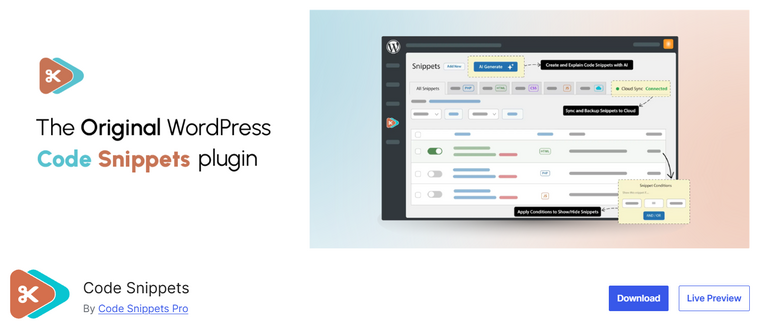
Code Snippets is a popular WordPress plugin that allows users to add custom PHP code to their website without editing the theme’s functions.php file. Instead of placing code directly into theme files, the plugin provides a centralized dashboard where you can create, manage, and organize snippets safely.
Each snippet can be activated or deactivated with a single click, which makes testing and troubleshooting much easier. The plugin also includes features such as snippet descriptions, tags, and export and import options to manage multiple snippets efficiently.
Code Snippets is especially useful for developers and site owners who frequently make small functional changes to their WordPress websites, keeping the theme files untouched and making maintenance easier.
Features
- Add and manage PHP code snippets from the dashboard
- Activate or deactivate snippets individually
- Snippet descriptions and tagging for organization
- Import and export snippets
- Error checking before saving code
Pros
- Safe alternative to editing functions.php
- Easy snippet management interface
- Helpful organization features
- Lightweight and reliable
Cons
- Primarily focused on PHP snippets
- Advanced features are available only in the premium version
Pricing
Free version available. Premium plans start at $39 per year for additional features and integrations.
Frequently Asked Questions
Now let’s take a look at some frequently asked questions and answers about this topic.
What is a WordPress code snippets plugin?
A WordPress code snippets plugin allows you to add small pieces of custom code to your website without editing theme files or core WordPress files. These plugins provide a dashboard that lets you safely create, manage, enable, or disable code snippets.
Why should I use a code snippets plugin instead of editing functions.php?
Editing the functions.php file directly can break your website if there is an error in the code. Code snippets plugins provide a safer environment where you can manage custom code and disable problematic snippets if something goes wrong.
Can I add different types of code using snippet plugins?
Yes. Many code snippets plugins support multiple code types such as PHP, CSS, JavaScript, and HTML. This allows you to add custom functionality, styling changes, and scripts from one place.
Do code snippets plugins affect website performance?
Most code snippets plugins are lightweight and only run the snippets you enable. If used properly, they have minimal impact on website performance.
Can I control where a code snippet runs on my website?
Some plugins allow conditional logic, which means you can choose where a snippet runs. For example, you can run code only on specific pages, posts, or user roles.
Are WordPress code snippets plugins beginner-friendly?
Yes. Many plugins provide simple interfaces that let you paste code and activate it with a click. This makes it easier for beginners to manage custom code without editing files.
Are code snippets plugins safe to use?
Yes, as long as you use well-maintained plugins and add tested code snippets. Many plugins include error-handling features that prevent your website from crashing if a snippet contains a mistake.
Conclusion
WordPress code snippets plugins provide a safe and organized way to add custom functionality without modifying theme files or core code. The right plugin depends on how you plan to use snippets on your website.
WPCode is a great choice if you want a beginner-friendly plugin with a large snippet library and flexible placement options. Code Snippets is ideal for users who mainly need a reliable way to add PHP code without editing the functions file.
If your goal is to insert scripts like tracking codes or analytics, Header Footer Code Manager works especially well. Simple Custom CSS and JS are perfect for adding quick styling or JavaScript changes.
For advanced control and conditional logic, WPCodeBox and Woody Code Snippets offer powerful features suited for developers and complex websites.
Which plugin are you going to choose?
Let us know in the comments.