Are you looking for the best WordPress Beaver Builder add-ons to improve your designs? If you are, keep reading this article.
Beaver Builder is one of the most popular WordPress page builders for creating professional websites without coding. While the core plugin already includes powerful layout and design tools, many users extend its functionality using dedicated Beaver Builder add-ons.

These add-ons introduce additional modules, templates, and advanced design controls that make it easier to build complex layouts and visually appealing pages. From marketing elements and creative content blocks to advanced styling options, Beaver Builder add-ons can significantly expand what you can create inside the builder.
In this article, we will explore the best WordPress Beaver Builder add-ons that help improve design flexibility, speed up page creation, and provide extra modules that are not available in the default Beaver Builder plugin.
First, let’s see what WordPress Beaver Builder add-ons are and why you should use them.
What Are WordPress Beaver Builder Add-Ons
WordPress Beaver Builder add-ons are extension plugins that enhance the functionality of the Beaver Builder page builder by adding new modules, templates, and design features.
These add-ons integrate directly with the Beaver Builder interface, allowing users to build more advanced page layouts without writing code.
Most Beaver Builder add-ons introduce additional content modules such as advanced headings, pricing tables, sliders, testimonials, forms, and marketing elements. They also provide new design controls that help customize spacing, typography, animations, and responsive layouts.
Developers and designers often use these add-ons to extend the capabilities of the default Beaver Builder modules. Instead of building complex components manually, users can simply drag and drop the new modules provided by the add-on to create more dynamic and visually appealing pages.
What to Look for In WordPress Beaver Builder Add-Ons
Choosing the right Beaver Builder add-on can improve your page-building workflow and expand your website’s design capabilities.
- Additional modules: Look for add-ons that provide useful modules such as pricing tables, testimonials, call-to-action blocks, sliders, and advanced headings.
- Design customization: The add-on should offer flexible styling options for colors, spacing, typography, and layout controls.
- Performance optimization: A good add-on should be lightweight and optimized to avoid slowing down your website.
- Compatibility with Beaver Builder: Ensure the add-on works smoothly with the latest version and supports responsive design.
- Ease of use: The interface should integrate seamlessly with Beaver Builder, allowing you to drag and drop modules without a complicated setup process.
Now let’s move to the main section of our blog post.
Best 7 WordPress Beaver Builder Add-Ons
In a nutshell, the best WordPress Beaver Builder add-ons are:
- PowerPack
- Ultimate Addons for Beaver Builder
- Header Footer for Beaver Builder
- Cards for Beaver Builder
- Timeline Module for Beaver Builder
- WPZOOM Addons for Beaver Builder
- Livemesh Addons for Beaver Builder
Let’s see what each add-on has to offer.
1. PowerPack

PowerPack for Beaver Builder is a feature-rich add-on that expands the capabilities of the Beaver Builder page builder with a wide collection of advanced modules and templates. The plugin adds multiple content elements to help users build professional, visually appealing pages without writing code.
It includes modules for marketing content, creative layouts, and interactive website elements that are not available in the default Beaver Builder package. PowerPack also provides ready-to-use page and section templates to speed up the design process.
The modules are fully customizable and integrate directly with the Beaver Builder interface, making them easy to use during page creation. Because of its flexibility and large module library, PowerPack is commonly used by designers, agencies, and developers who build client websites with Beaver Builder.
Features
- Large collection of Beaver Builder content modules
- Ready to use page and section templates
- Advanced design and styling controls
- Responsive modules for different screen sizes
- Seamless integration with the Beaver Builder interface
Pros
- Wide range of useful modules
- Easy to integrate with Beaver Builder
- Helps speed up page design workflow
Cons
- Some modules only available in the premium version
- Beginners may not use all available features
Pricing
PowerPack for Beaver Builder is a freemium plugin, with premium plans starting at $49 per year.
2. Ultimate Addons for Beaver Builder

Ultimate Addons for Beaver Builder is a powerful extension plugin that enhances the Beaver Builder page builder with a collection of advanced modules and design elements. The plugin adds new content modules that let users build creative, professional page layouts without writing custom code.
It includes modules for marketing content, interactive elements, call-to-action blocks, and advanced headings that are not available in the default Beaver Builder setup. Ultimate Addons also provides flexible styling controls so users can customize layouts, spacing, colors, and typography directly within the builder interface.
The modules are designed to work smoothly with Beaver Builder and support responsive layouts for different devices. Because of its large module library and design flexibility, it is commonly used by developers, designers, and agencies building WordPress websites.
Features
- Additional Beaver Builder modules for advanced layouts
- Customizable design and styling options
- Marketing and content-focused modules
- Responsive modules for mobile-friendly pages
- Seamless integration with the Beaver Builder interface
Pros
- Large library of useful modules
- Flexible design customization options
- Works smoothly with Beaver Builder
Cons
- Some modules require the premium version
- May include features not needed for simple websites
Pricing
Ultimate Addons for Beaver Builder is a freemium plugin, with premium plans starting at $69 per year.
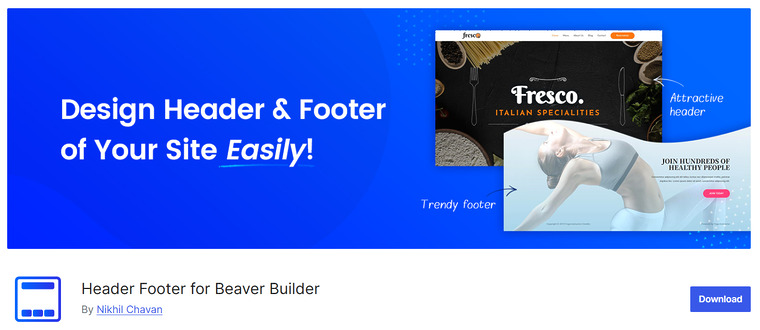
Header Footer for Beaver Builder is a lightweight add-on that allows users to design custom headers and footers using the Beaver Builder page builder. Instead of relying on limited theme settings, this plugin lets you create header and footer layouts directly with Beaver Builder modules.
Once the layout is created, it can be assigned as the global header or footer across the entire website. This provides greater control over branding elements such as navigation menus, logos, call-to-action buttons, and footer content.
The plugin integrates smoothly with the Beaver Builder interface, making the setup simple for users already familiar with the builder. Because of its focused functionality and ease of use, it is a helpful tool for designers who want flexible header and footer customization without coding.
Features
- Create custom headers and footers using Beaver Builder layouts
- Assign layouts as a global header or footer across the website
- Works with many popular WordPress themes
- Simple integration with the Beaver Builder interface
- Lightweight plugin with easy setup
Pros
- Completely free plugin
- Provides flexible header and footer customization
- Simple and easy to configure
Cons
- Limited features compared to premium builder add-ons
- Focused mainly on header and footer design
Pricing
Header Footer for Beaver Builder is a free plugin available in the WordPress plugin repository.
4. Cards for Beaver Builder
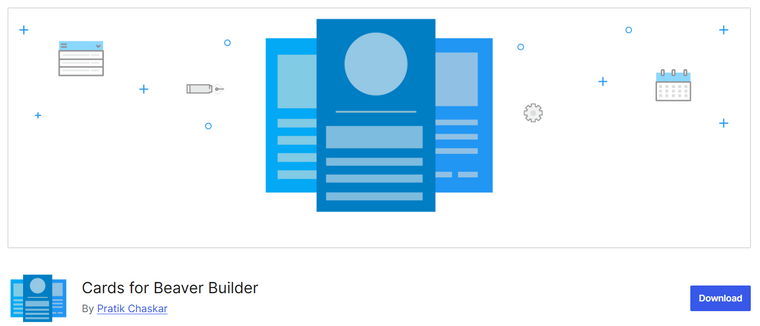
Cards for Beaver Builder is a lightweight extension plugin that adds card-style layout modules to the Beaver Builder page builder. The plugin allows users to display content in structured card blocks that combine images, titles, text, and links in a clean layout.
Card-based designs are commonly used for blog previews, service sections, team members, portfolios, and feature highlights. With this plugin, users can easily create visually organized content sections directly within the Beaver Builder interface.
The cards can be customized with images, background colors, text, and links to match the website’s design. Because of its focused functionality and simple interface, Cards for Beaver Builder is useful for users who want an easy way to build modern card-style content layouts.
Features
- Card-style layout module for Beaver Builder
- Display images, titles, and descriptions in card format
- Customizable content and styling options
- Easy drag and drop integration with Beaver Builder
- Suitable for services, portfolios, and blog previews
Pros
- Simple and easy to use module
- Helps create modern card-based layouts
- Lightweight plugin with focused functionality
Cons
- Limited to card layout functionality
- Fewer customization options compared to large add-ons
Pricing
Cards for Beaver Builder is a free plugin available in the WordPress plugin repository.
5. Timeline Module for Beaver Builder
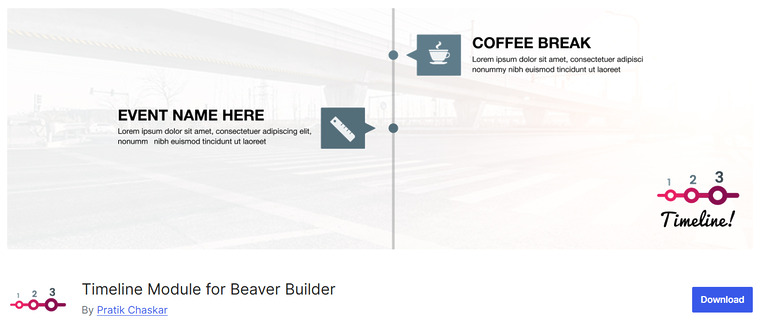
Timeline Module for Beaver Builder is a lightweight extension that adds a dedicated timeline module to the Beaver Builder page builder. The plugin allows users to create structured timeline layouts directly within the Beaver Builder interface using a simple drag-and-drop module.
Timelines are useful for displaying company history, project milestones, product development stages, or step-by-step processes on a webpage. The module includes options to add titles, descriptions, dates, and icons to each timeline item, helping organize information in a clear visual format.
It also supports responsive layouts, so the timeline displays properly across desktops, tablets, and mobile devices. Because of its focused design and simple setup, this plugin is useful for users who want to add timeline sections without installing large add-on collections.
Features
- Dedicated timeline module for Beaver Builder
- Add titles, descriptions, and dates for each timeline item
- Responsive layout for different screen sizes
- Simple drag and drop integration with Beaver Builder
- Custom styling options for timeline elements
Pros
- Easy way to create timeline sections
- Lightweight plugin with simple setup
- Integrates smoothly with Beaver Builder
Cons
- Limited features compared to full Beaver Builder add-on packs
- Focused mainly on timeline layouts
Pricing
Timeline Module for Beaver Builder is a free plugin available in the WordPress plugin repository.
6. WPZOOM Addons for Beaver Builder

WPZOOM Addons for Beaver Builder is a free extension plugin that adds several useful modules to the Beaver Builder page builder. The plugin is designed to expand the functionality of the Beaver Builder Lite version by introducing additional content elements that help create more dynamic page layouts.
It includes modules such as team members, testimonials, client logos, image boxes, special headings, and latest posts. The plugin also provides modules for maps, buttons, and WooCommerce products, allowing users to display different types of content on their pages.
All modules integrate directly with the Beaver Builder interface, making them easy to use while designing pages. Because of its lightweight structure and useful module collection, WPZOOM Addons is a helpful tool for users who want extra Beaver Builder features without installing complex add-ons.
Features
- Additional Beaver Builder modules, such as testimonials and team members
- WooCommerce product display module
- Special heading and image box modules
- Map and latest posts modules
- Seamless integration with Beaver Builder
Pros
- Completely free plugin
- Adds useful modules to Beaver Builder Lite
- Simple and lightweight design
Cons
- Smaller module library compared to premium add-ons
- Limited advanced design features
Pricing
WPZOOM Addons for Beaver Builder is a free plugin available in the WordPress plugin repository.
7. Livemesh Addons for Beaver Builder
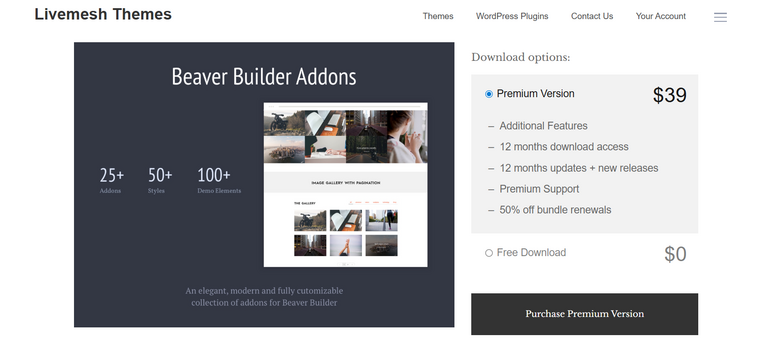
Livemesh Addons for Beaver Builder is a flexible extension plugin that adds a wide range of additional modules to the Beaver Builder page builder. It allows users to build more advanced page layouts by introducing new content elements that are not included in the default Beaver Builder modules.
The plugin includes modules for portfolios, post grids, image galleries, pricing tables, testimonials, and team profiles. These modules help create visually engaging sections for blogs, business websites, and portfolio pages. Livemesh Addons integrates directly with the Beaver Builder interface, allowing users to drag and drop modules as they design pages.
The plugin also supports responsive layouts and customization options, so designs look good on different devices. Because of its wide range of modules, it is commonly used by designers and developers building modern WordPress websites.
Features
- Collection of multiple Beaver Builder content modules
- Portfolio and blog grid modules
- Image and gallery display elements
- Responsive design for mobile-friendly pages
- Seamless integration with the Beaver Builder interface
Pros
- Adds many useful design modules
- Works smoothly inside Beaver Builder
- Suitable for different website layouts
Cons
- Some advanced modules require the premium version
- The interface may take time for beginners to explore
Pricing
Livemesh Addons for Beaver Builder is a freemium plugin, with premium plans starting at $39 per year.
Frequently Asked Questions
Now, let’s take a look at some frequently asked questions and answers about this topic.
What are Beaver Builder add-ons?
Beaver Builder add-ons are extension plugins that expand the functionality of the Beaver Builder page builder. They introduce additional modules, templates, and design features that are not included in the default builder. These add-ons help users create more advanced layouts and add interactive content elements without writing code.
Why should I use Beaver Builder add-ons?
Beaver Builder add-ons provide extra modules and design controls that make it easier to build professional pages. They help speed up the design process by offering ready-to-use elements such as pricing tables, testimonials, galleries, and marketing sections.
Are Beaver Builder add-ons compatible with the free version of Beaver Builder?
Some add-ons work with the Beaver Builder Lite version, while others require the premium Beaver Builder plugin. It depends on how the add-on is developed and what modules it provides.
Do Beaver Builder add-ons slow down a website?
Most well-developed add-ons are optimized for performance and do not significantly affect site speed. Choosing lightweight, well-maintained plugins helps ensure your website remains fast.
Can I use multiple Beaver Builder add-ons together?
Yes, multiple add-ons can be installed and used at the same time. Many developers combine different add-ons to access a wider range of modules and design features.
Are Beaver Builder add-ons beginner-friendly?
Most Beaver Builder add-ons are designed to work directly within the builder interface. This makes them easy to use because users can drag and drop modules while building pages.
Are there free Beaver Builder add-ons available?
Yes, several add-ons are available for free in the WordPress plugin repository. These plugins usually provide a smaller set of modules, while premium versions include additional features and advanced design options.
Conclusion
In conclusion, the best Beaver Builder add-on depends on the type of design features you want to add to your website. PowerPack for Beaver Builder is a great choice for users who want a large collection of advanced modules and ready-to-use templates.
Ultimate Addons for Beaver Builder works well for designers who need creative modules and flexible styling options. Livemesh Addons for Beaver Builder is ideal for building portfolio layouts, content grids, and feature-rich page sections.
Header Footer for Beaver Builder is useful for users who want to design custom headers and footers using Beaver Builder layouts. WPZOOM Add-ons for Beaver Builder is a good option for adding essential modules to the free version of Beaver Builder.
Cards for Beaver Builder works best for card style content layouts, while Timeline Module for Beaver Builder is perfect for displaying timelines and milestone sections. You can pick options based on your needs.
Which WordPress Beaver Builder add-ons are you going to use?
Let us know in the comments.