Are you looking for the best WordPress gallery plugins? If you are, keep reading this article. Here, we will show you seven of the best tools for showcasing images!
Images play an important role in making a website visually appealing and engaging for visitors. A well-designed gallery can help you present photos, portfolios, product images, or creative work in an organized and attractive way.

While WordPress includes a basic gallery feature, it often lacks advanced customization, layout options, and interactive features that many websites require. This is where WordPress gallery plugins become useful.
These plugins allow you to create beautiful image galleries with different layouts, lightbox effects, animations, and responsive designs that work across devices. They also make it easier to manage large collections of images without affecting your website’s performance.
In this article, we will explore some of the best WordPress gallery plugins you can use to showcase images and create visually impressive galleries on your website.
First, let’s see what WordPress gallery plugins are.
What Are WordPress Gallery Plugins
WordPress gallery plugins are tools that help you create and manage image galleries on your website with more flexibility and features than the default WordPress gallery option.
These plugins allow you to organize and display images in visually appealing layouts such as grids, masonry galleries, sliders, and lightbox displays.
Gallery plugins often include customization options that let you control how images appear, how visitors interact with them, and how galleries behave on different devices. Many also provide features like image captions, hover effects, lazy loading, and social sharing options.
Using a gallery plugin makes it easier to present photos, portfolios, product images, or other visual content in a structured, professional way, while improving the overall design and user experience of your website.
What to Look for In WordPress Gallery Plugins
Choosing the right WordPress gallery plugin helps ensure your images are displayed attractively while maintaining good website performance.
- Gallery Layout Options – Look for plugins that offer multiple layouts, including grid, masonry, slider, and carousel.
- Responsive Design – The gallery should automatically adjust to different screen sizes and devices.
- Lightbox and Image Effects – Features such as lightbox previews, hover effects, and animations enhance user interaction.
- Performance Optimization – Plugins with lazy loading and optimized image handling help maintain fast page speed.
- Ease of Use – A simple interface or drag-and-drop builder makes it easier to create and manage galleries.
Best 7 WordPress Gallery Plugins
| Plugin | Best For | Features | Pros | Cons | Author Rating |
|---|---|---|---|---|---|
| Envira Gallery | Beginners and portfolio websites | Drag and drop gallery builder, responsive layouts, albums, video galleries, lightbox display | Easy to use, fast performance, and many add-ons | Advanced features require a premium version | 4.7/5 |
| NextGEN Gallery | Professional photographers | Batch image upload, gallery and album management, slideshow galleries, metadata support | Powerful gallery management, highly customizable | The interface can feel complex for beginners | 4.3/5 |
| Photo Gallery by 10Web | Feature-rich image galleries | Multiple gallery views, lightbox effects, slideshow options, social sharing | Many layout options, responsive galleries | Some advanced features require the premium version | 4.5/5 |
| Gallery by FooGallery | Fast and lightweight galleries | Masonry and grid layouts, lazy loading, image filtering, gallery templates | SEO friendly, performance-optimized | Some layouts and features are premium only | 4.8/5 |
| Modula Image Gallery | Custom grid galleries | Custom grid layouts, hover effects, filters, and lightbox display | Flexible design options, beginner-friendly | Advanced customization requires a paid version | 4.4/5 |
| Robo Gallery | Stylish image galleries | Grid layouts, hover effects, animation styles, and responsive design | Easy gallery setup, many visual effects | Interface can feel dated | 4.6/5 |
| Photo Gallery | Basic image galleries | Grid galleries, lightbox view, image captions, responsive design | Simple and lightweight | Limited advanced features compared to competitors | 4.5/5 |
Let’s take a closer look at each plugin.
1. Envira Gallery

Envira Gallery is a popular WordPress gallery plugin that helps users create beautiful and responsive image galleries with ease. It includes a drag-and-drop builder that lets you upload images and arrange them quickly without technical skills.
The plugin offers multiple gallery layouts, lightbox displays, and mobile-responsive designs that ensure your images look great on all devices. Envira Gallery also focuses on performance, helping galleries load quickly even when displaying large image collections.
It works well with portfolios, photography websites, blogs, and online stores that need visually appealing image displays. The plugin also supports albums, watermarking, and social sharing features, making it a flexible solution for managing and showcasing image galleries on WordPress websites.
Features
- Drag and drop gallery builder
- Responsive gallery layouts for all devices
- Lightbox display for image previews
- Album support for organizing galleries
- Image watermarking and social sharing options
Pros
- Beginner-friendly gallery builder
- Fast loading and performance optimized
- Many extensions available for additional features
Cons
- Some advanced features require the premium version
- Limited customization options in the free version
Pricing
Envira Gallery is a freemium plugin available in the WordPress repository, and the premium version starts at $39.50 per year.
2. NextGEN Gallery

NextGEN Gallery is one of the most widely used WordPress gallery plugins, especially popular among photographers and creative professionals. It provides advanced gallery management tools that make it easy to organize and display large collections of images.
The plugin allows you to upload images in bulk, create multiple galleries, and group them into albums for better organization. It also offers different display styles such as thumbnail galleries, slideshows, and image browser views.
NextGEN Gallery includes features like lightbox previews, image tagging, and watermarking to help manage and protect images. Because of its powerful gallery management system and flexible display options, NextGEN Gallery is often used by photography websites, portfolios, and businesses that need to showcase large numbers of images professionally.
Features
- Batch image uploads and gallery management
- Create albums to organize multiple galleries
- Slideshow, thumbnail, and image browser gallery types
- Lightbox display for image previews
- Image tagging and watermark support
Pros
- Powerful gallery management system
- Ideal for large image collections
- Flexible gallery and album organization
Cons
- The interface can feel complex for beginners
- Many advanced features require the premium version
Pricing
NextGEN Gallery is a freemium plugin, with premium plans starting at $69.50 per year.
3. Photo Gallery by 10Web

Photo Gallery by 10Web is a feature-rich WordPress gallery plugin that helps users create visually appealing image galleries with multiple layout styles. It allows you to organize photos into galleries and albums, making it easier to manage large collections of images.
The plugin includes several display options, including thumbnail grids, masonry layouts, slideshows, carousels, and blog-style galleries. It also includes a customizable lightbox that improves how images display when visitors click them.
Photo Gallery by 10Web is fully responsive, so galleries adjust smoothly across desktops, tablets, and mobile devices. Additional tools such as watermark protection, social sharing, and image commenting make it a useful option for photographers, bloggers, and businesses that want to showcase images professionally.
Features
- Multiple gallery layouts, including masonry, slideshow, and carousel
- Customizable lightbox for image previews
- Gallery and album organization tools
- Image watermark protection
- Social sharing and image commenting options
Pros
- Wide range of gallery layouts
- Responsive galleries for all devices
- Good gallery organization features
Cons
- Some advanced features require the premium version
- The interface may take time to learn for beginners
Pricing
Photo Gallery by 10Web is a freemium plugin available in the WordPress repository, and the premium version starts at $30 per year.
4. Gallery by FooGallery

Gallery by FooGallery is a popular WordPress gallery plugin that helps users create responsive and visually appealing image galleries. It provides an easy-to-use interface that lets you upload images and organize them quickly in the WordPress dashboard.
The plugin offers several gallery layouts, including grid, masonry, justified, and carousel, giving you flexibility in how images are displayed. FooGallery also includes features like lightbox viewing, hover effects, and customizable captions to improve user interaction with images.
The plugin is optimized for performance and includes lazy loading to help galleries load faster. Because of its flexibility and speed, FooGallery is widely used by bloggers, photographers, portfolio websites, and businesses to display image galleries in a clean, professional way.
Features
- Multiple gallery layouts, including grid, masonry, and carousel
- Built-in lightbox for image previews
- Drag and drop gallery management
- Lazy loading for improved performance
- Custom captions and hover effects
Pros
- Lightweight and performance optimized
- Easy to create and manage galleries
- Flexible layout options
Cons
- Some advanced layouts require the premium version
- Additional features available through paid extensions
Pricing
Gallery by FooGallery is a freemium plugin, with premium plans starting at $39.99 per year.
5. Modula Image Gallery
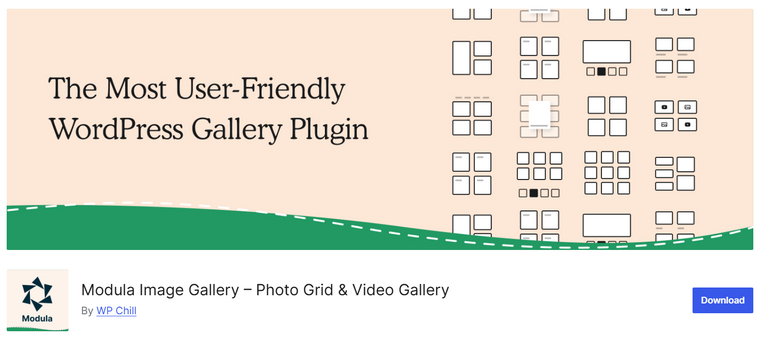
Modula Image Gallery is a flexible WordPress gallery plugin that lets users create visually appealing, highly customizable image galleries. It offers a unique custom grid system that lets you freely resize and arrange images within the gallery layout.
This gives users greater control over how images appear on the page compared to traditional grid galleries. Modula also includes responsive gallery layouts that automatically adjust to different screen sizes. The plugin provides built-in lightbox viewing, hover effects, and filtering options that improve the overall user experience when browsing images.
Because of its simple interface and flexible layout controls, Modula Image Gallery is commonly used by photographers, designers, bloggers, and portfolio websites that want to showcase images in creative and dynamic gallery layouts.
Features
- Custom grid gallery layout builder
- Responsive image galleries for all devices
- Built in a lightbox for image previews
- Image hover effects and filtering options
- Easy gallery creation inside the WordPress dashboard
Pros
- Highly customizable gallery layouts
- Beginner-friendly interface
- Responsive and mobile-optimized galleries
Cons
- Some advanced customization options require the premium version
- Large galleries may require optimization for performance
Pricing
Modula Image Gallery is a freemium plugin, with premium plans starting at $39 per year.
6. Robo Gallery

Robo Gallery is a WordPress gallery plugin designed to help users create stylish and responsive image galleries with a wide range of visual customization options. The plugin allows you to build grid-based galleries with various design styles, hover effects, and animation settings.
It includes a simple interface that makes it easy to upload images, organize them into galleries, and customize how they appear on the website. Robo Gallery also provides responsive layouts so galleries display properly across desktops, tablets, and mobile devices.
The plugin includes lightbox viewing, image captions, and gallery filtering features that improve the browsing experience. Because of its design flexibility and visual appeal, Robo Gallery is often used by portfolio websites, photographers, bloggers, and businesses seeking attractive image gallery displays.
Features
- Grid-based gallery layouts with customizable styles
- Responsive design for all screen sizes
- Built in a lightbox for image previews
- Image hover effects and animations
- Gallery filtering and caption support
Pros
- Many visual customization options
- Easy gallery creation and management
- Responsive galleries for different devices
Cons
- The interface may feel outdated for some users
- Some advanced features require the premium version
Pricing
Robo Gallery is a freemium plugin, with premium plans starting at $30 as a one-time payment.
7. Photo Gallery – GT3 Image Gallery
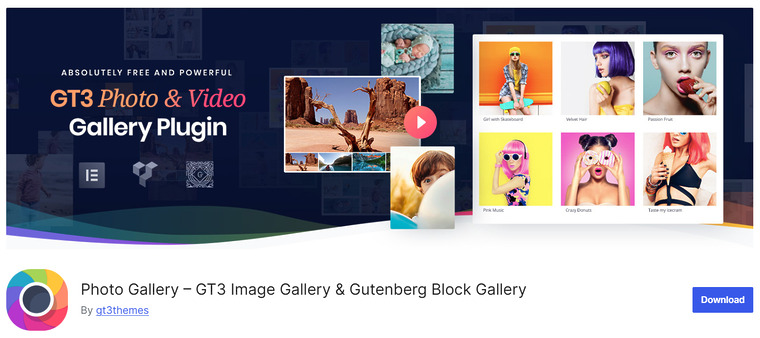
Photo Gallery – GT3 Image Gallery is a WordPress gallery plugin that helps users create modern and responsive image galleries with minimal setup. The plugin offers several gallery layouts that allow you to showcase photos in grid, masonry, and column-based designs.
It includes a simple gallery builder that makes it easy to upload images and organize them into visually appealing galleries. GT3 Image Gallery also supports lightbox previews, allowing visitors to view images in a larger format without leaving the page.
The plugin is designed to work smoothly with most WordPress themes and page builders, making it easy to integrate galleries into different parts of your website. Because of its clean design and easy setup, it is commonly used for blogs, portfolios, and business websites.
Features
- Grid and masonry gallery layouts
- Responsive galleries for all devices
- Built in a lightbox for image previews
- Simple gallery builder inside WordPress
- Compatible with popular themes and page builders
Pros
- Easy to create and manage galleries
- Clean and modern gallery layouts
- Works well with most WordPress themes
Cons
- Limited features in the free version
- Advanced layouts require the premium version
Pricing
Photo Gallery – GT3 Image Gallery is a freemium plugin, with premium plans starting at $39 per year.
Frequently Asked Questions
Now, let’s take a look at some frequently asked questions and answers about this topic.
What is the best WordPress gallery plugin?
The best WordPress gallery plugin depends on your needs. Envira Gallery is great for beginners and portfolio websites, while NextGEN Gallery is ideal for professional photographers who manage large image collections. Plugins like FooGallery and Modula are also popular for their flexible layouts and performance.
Do I need a gallery plugin for WordPress?
WordPress includes a basic gallery feature, but it has limited customization options. A gallery plugin provides advanced layouts, lightbox effects, image filters, and improved gallery management tools, making it easier to showcase images more professionally.
Are WordPress gallery plugins mobile-friendly?
Most modern WordPress gallery plugins are fully responsive. This means image galleries automatically adjust to different screen sizes so they display properly on smartphones, tablets, and desktop devices.
Can gallery plugins affect website speed?
Gallery plugins can affect website performance if they are not optimized. However, many modern plugins include features like lazy loading, image compression, and optimized gallery layouts to help maintain fast loading times.
Can I create different gallery layouts with these plugins?
Yes, most WordPress gallery plugins offer multiple layout options, including grid galleries, masonry layouts, sliders, carousels, and lightbox displays. These layouts allow you to present images in different styles depending on your website design.
Are WordPress gallery plugins beginner-friendly?
Many gallery plugins are designed to be beginner-friendly, with visual builders or simple settings panels. This allows users to create and manage image galleries without needing coding knowledge.
Can I add captions and descriptions to gallery images?
Yes, most gallery plugins allow you to add captions, titles, and descriptions to images. This helps provide additional context for visitors and can also improve accessibility and SEO for your website images.
Conclusion
In conclusion, the best WordPress gallery plugin depends on how you plan to display and manage images on your website. Envira Gallery is an excellent choice for beginners and portfolio websites, offering an easy drag-and-drop gallery builder and strong performance.
NextGEN Gallery is ideal for professional photographers who need advanced gallery and album management tools, as well as support for large image collections. Photo Gallery by 10Web works well for feature-rich galleries with multiple layouts and display options.
Gallery by FooGallery is a great option for users seeking a lightweight, performance-optimized gallery solution. Modula Image Gallery is perfect for custom grid galleries with flexible design controls.
Robo Gallery is suitable for stylish galleries with animation effects and visual customization. Finally, Photo Gallery is a good option for simple, lightweight image galleries.
Which plugin are you going to use?
Let us know in the comments.