Are you looking for the best UpdraftPlus alternatives? If you are, keep reading this article. Here, we will show you the best 7 UpdraftPlus alternatives you need to try.
UpdraftPlus is one of the most widely used WordPress backup plugins, but it may not meet every site owner’s needs. Some users look for simpler interfaces, faster restore options, better cloud storage integrations, or more advanced automation features.

Others want solutions that provide stronger security, real-time backups, or improved support for large websites. This has led many WordPress users to explore reliable UpdraftPlus alternatives that offer flexible backup scheduling, safe storage options, and easy recovery tools.
In this guide, we review the best alternatives to help you protect your site data and restore it quickly when something goes wrong.
First, let’s see what Updraft is and what it offers.
UpdraftPlus: An Introduction
UpdraftPlus is a popular WordPress backup solution designed to help website owners secure their data with minimal effort. It allows users to create scheduled and on-demand backups of files, databases, or both, ensuring that critical site information is protected from accidental loss, hacking, or server failures.
The plugin supports multiple remote storage options, making it easier to store backups outside the hosting environment. UpdraftPlus also includes restore functionality that lets users recover their website directly from the WordPress dashboard without complex manual processes.
Its flexibility and broad compatibility with WordPress themes and plugins have made it a trusted choice for beginners and experienced users alike.
However, as websites grow and requirements become more specific, many users start exploring alternatives that provide enhanced performance, automation, or enterprise-level backup features.
What to Look for In WordPress Backup Plugins
When looking for UpdraftPlus alternatives, it’s important to focus on reliability, ease of use, and flexibility to protect and restore your WordPress site effectively.
- Backup scheduling and automation: Choose plugins that allow automatic backups at regular intervals to reduce the risk of data loss.
- Remote storage support: Look for solutions that integrate with cloud storage services like Google Drive, Dropbox, or Amazon S3 for secure off-site backups.
- Restore functionality: Ensure the plugin allows easy one-click restoration of files and databases directly from the dashboard.
- Performance and reliability: The backup process should have minimal impact on site speed and be stable even for large websites.
- Security and encryption: Backup files should be encrypted to protect sensitive data from unauthorized access.
Best UpdraftPlus Alternatives to Try
| Plugin | Ease of Use | Backup Scheduling | Remote Storage Support | Restore Options | Free / Premium | Author Rating |
|---|---|---|---|---|---|---|
| Solid Backups | Easy | Yes | Yes (Cloud storage) | One-click restore | Premium | 4.5/5 |
| BackWPup | Moderate | Yes | Yes (Dropbox, S3, FTP) | Manual and scheduled | Free + Premium | 4.0/5 |
| BlogVault | Very easy | Real-time & scheduled | Cloud storage included | One-click & incremental | Premium | 4.7/5 |
| WPvivid Backup | Easy | Yes | Yes (Google Drive, Dropbox, S3) | One-click & migration | Freemium | 4.3/5 |
| Duplicator | Moderate | Yes (Pro) | Yes (Cloud via Pro) | Restore & Migration | Free + Pro | 4.2/5 |
| Total Upkeep by BoldGrid | Easy | Yes | Yes (Cloud/FTP) | One-click restore | Freemium | 4.1/5 |
| WP Time Capsule | Easy | Real-time incremental | Yes (Cloud) | One-click restore | Premium | 4.4/5 |
Now, let’s take a closer look at each option.
1. Solid Backups
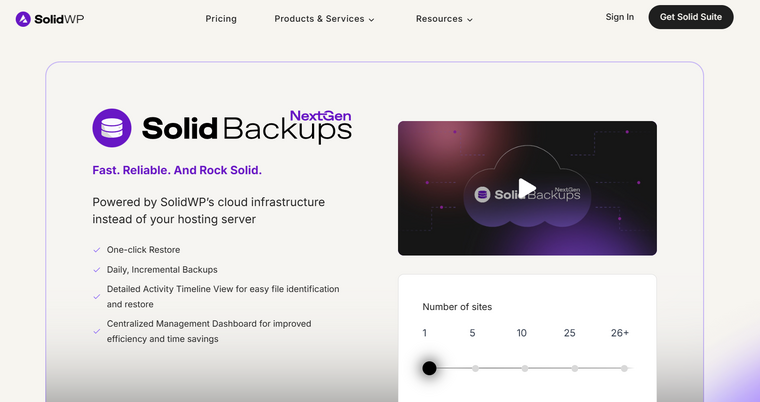
Solid Backups is a premium WordPress backup solution focused on simplicity, reliability, and professional-grade restore tools.
Designed as one of the effective UpdraftPlus alternatives, it provides automatic scheduled backups of your website files and database with secure off-site storage options. The plugin’s interface emphasizes ease of use, allowing beginners to set up reliable backup routines without navigating complex settings.
It also includes one-click restore capabilities, enabling fast recovery after accidental data loss or site issues. Solid Backups supports multiple cloud storage destinations and ensures that your backups are safely stored outside your hosting environment.
Its professional-oriented features and streamlined workflow make it particularly suitable for business sites and agencies that want dependable site protection with minimal ongoing maintenance.
Features
- Automated scheduled backups
- One-click restore functionality
- Offsite cloud storage support
- Backup history and logs
- Simple setup interface
Pros
- Clean and user-friendly dashboard
- Reliable backup and restore process
- Good cloud storage options
- Excellent for business sites
Cons
- No free version available
- Fewer advanced customization options
Pricing
Premium plugin only, with pricing typically starting around $99 per year, depending on license tier.
2. BackWPup

BackWPup is a WordPress backup plugin that offers a flexible, cost-effective way to protect your site data without relying on UpdraftPlus.
It enables users to schedule automatic backups of their files and database with a range of storage options, including cloud services such as Dropbox, Amazon S3, and Google Drive. BackWPup also includes tools to check and repair database tables and create logs, helping ensure that backups are both complete and reliable.
While the interface may feel more technical compared to some premium alternatives, it offers powerful functionality for users who want detailed control over scheduling and storage locations. With both free and premium versions available, BackWPup can fit a variety of site sizes and budgets.
Features
- Scheduled automatic backups
- Multiple cloud storage integrations
- Database optimization and repair tools
- Backup log creation
- Export backup archives in ZIP format
Pros
- Free version with comprehensive features
- Supports many remote storage options
- Detailed backup customization
- Reliable and widely used
Cons
- Interface and setup may feel technical
- Some advanced features require a premium
Pricing
Freemium plugin. The free version is available on WordPress.org, and premium licenses start around $69 per year.
3. BlogVault
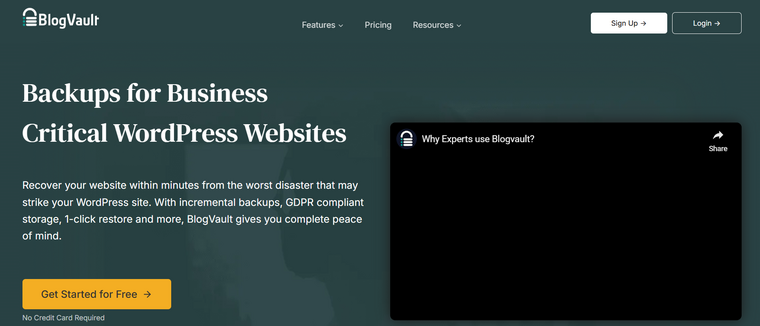
BlogVault is a reliable WordPress backup solution designed for users who want strong protection with minimal setup. It performs backups on its own secure servers rather than in your hosting environment, which helps reduce load on your website and improve stability.
The plugin supports automatic daily backups, on-demand backups, and one-click restores, making it suitable for both beginners and professional site owners. BlogVault also includes built-in site migration and staging features, allowing you to test changes safely before pushing them live.
Its dashboard is clean and centralized, so managing multiple sites is straightforward. With encrypted storage and an independent backup infrastructure, BlogVault focuses heavily on data security and disaster recovery.
Features
- Automatic daily and real-time backups
- Offsite cloud storage
- One-click restore and site migration
- Staging environment support
- Centralized dashboard for multiple sites
Pros
- Does not use your hosting server resources
- Very easy restore process
- Includes migration and staging tools
- Strong security and encryption
Cons
- No fully free plan
- Requires an external BlogVault account
Pricing
Premium plugin. Plans start at around $49.50 per year per site, billed annually.
4. WPvivid Backup

WPvivid Backup is a versatile WordPress backup and migration plugin that serves as a strong alternative to UpdraftPlus for users seeking both reliability and flexibility. It enables automated scheduled backups of your site’s files and database, along with manual backups whenever needed.
The plugin supports a variety of remote storage destinations, including Google Drive, Dropbox, Amazon S3, and others, giving users control over how and where backup data is stored. WPvivid also includes one-click restore functionality and site migration tools, which make it useful for both protection and site transfers.
Its intuitive interface and clear settings make setup easy for beginners, while advanced options, such as excluding files or database tables, provide added control for experienced users.
Features
- Scheduled automatic backups
- One-click restore and migration tools
- Multiple remote storage integrations
- Backup exclusion and customization
- Backup history and logs
Pros
- Strong free version with essential features
- Easy to configure and use
- Supports many cloud storage services
- Includes migration tools
Cons
- Some advanced tools are premium only
- The interface can feel busy
Pricing
Freemium plugin. Free version available; premium plans start at $49 per year.
5. Duplicator
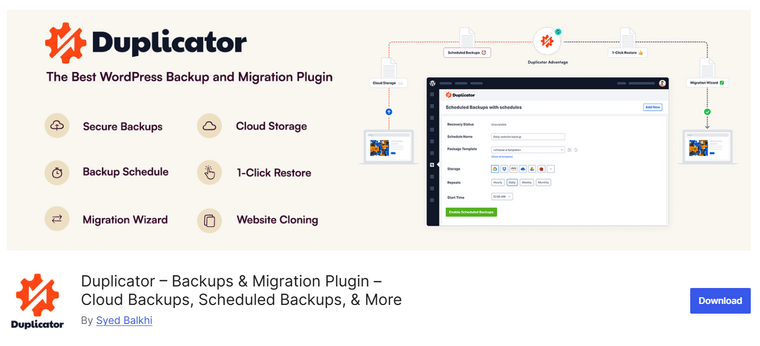
Duplicator is a popular WordPress plugin that serves as both a backup solution and a site migration tool, making it a practical UpdraftPlus alternative for users who want flexibility beyond basic backups.
It allows you to create snapshots of your entire site, including files and the database, which can be stored locally or moved to a new server or domain.
While Duplicator is widely known for its migration capabilities, its backup features are robust enough for routine data protection, especially when paired with scheduled tasks in the Pro version.
The plugin supports remote storage destinations and provides an easy restore process. Its versatility makes it suitable for developers, agencies, and site owners who regularly build, transfer, or update WordPress sites.
Features
- Full site backups, including files and database
- Site migration and cloning tools
- Scheduled backups in the Pro version
- Remote storage support (Pro)
- Simple restore and setup wizard
Pros
- Excellent for both backup and migration
- Works well for staging and cloning environments
- Strong developer utility
Cons
- Backup scheduling requires Pro
- Remote storage options are limited without Pro
Pricing
Free plugin available; Pro version with scheduled backups and cloud storage starts at $69.30 per year.
6. Total Upkeep
Total Upkeep is a WordPress backup and restoration plugin that serves as a practical alternative to UpdraftPlus for users seeking automated protection with a focus on simplicity and reliability.
It enables scheduled backups of your site’s files and database, along with one-click restore points that help you recover quickly after errors, hacks, or updates gone wrong. Total Upkeep also includes a safety checker that can preemptively pause updates if potential issues are detected, giving you an extra layer of protection.
The plugin supports backing up to remote destinations, such as cloud storage or external servers, and its intuitive interface makes setup and management straightforward for users of all experience levels.
Overall, Total Upkeep balances ease of use with powerful backup features for small to medium-sized websites.
Features
- Automated scheduled backups
- One-click restore functionality
- Backup safety checks before updates
- Remote storage support
- Easy blacklisting/exclusion options
Pros
- Beginner-friendly and intuitive interface
- Safety features help prevent update issues
- Solid backup and restore tools
- Works well with most hosting environments
Cons
- Some storage options require configuration
- Not as feature-rich as some premium alternatives
Pricing
Freemium plugin. Free core features available; premium features start at around $30 per year.
7. WP Time Capsule
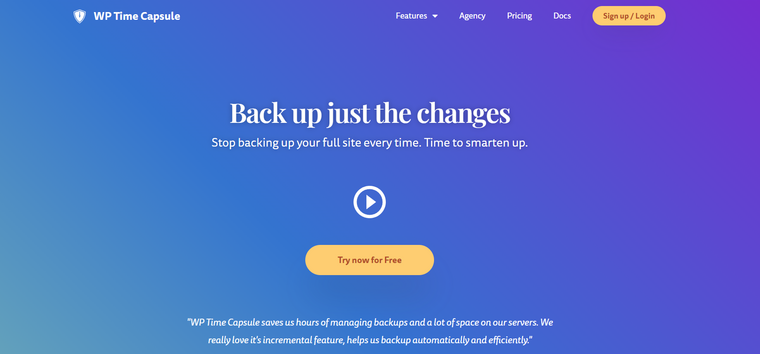
WP Time Capsule is a WordPress backup plugin built around incremental backups, making it an effective UpdraftPlus alternative for sites that require frequent updates without heavy server load. Instead of backing up the entire site every time, it only saves changes since the last backup, reducing storage usage and speeding up both backup and restore processes.
WP Time Capsule supports remote cloud storage destinations, including Google Drive, Dropbox, and Amazon S3, keeping your backups off your hosting server for added security.
The plugin also includes one-click restore points and staging capabilities that allow you to test changes before deploying them live. Its streamlined interface and incremental strategy make it a solid choice for dynamic sites with frequent content updates.
Features
- Incremental and scheduled backups
- One-click restore points
- Staging environment support
- Remote cloud storage integration
- Easy backup management dashboard
Pros
- Very efficient with server resources
- Reduces backup storage size
- Quick restore process
- Good for frequently updated sites
Cons
- No fully free version
Pricing
Premium service, starting at $49 per year for a single site.
Frequently Asked Questions
Now, let’s take a look at some frequently asked questions and answers about this topic.
What is the best alternative to UpdraftPlus for beginners?
The best alternative for beginners is a plugin that offers a simple setup process, automatic backups, and one-click restores. Tools with clean dashboards and guided setup wizards reduce the risk of misconfiguration and make backup management easier for non-technical users.
Are free UpdraftPlus alternatives reliable for regular backups?
Yes, many free alternatives are reliable for basic backup needs, such as scheduled database and file backups. However, advanced features like real-time backups, cloud storage integration, and priority support are usually reserved for premium plans.
Which UpdraftPlus alternative is best for real-time backups?
Real-time backup plugins are ideal for sites with frequent updates, such as WooCommerce stores or membership platforms. These tools automatically save changes as they happen, reducing the risk of data loss between scheduled backups.
Do UpdraftPlus alternatives support cloud storage?
Most modern backup plugins support cloud storage options such as Google Drive, Dropbox, and Amazon S3. This allows you to store backups offsite, improving security and ensuring your data is safe even if your server fails.
Can I migrate my website using an UpdraftPlus alternative?
Yes, many backup plugins also include migration features. These tools allow you to create a backup of your site and restore it on a new server or domain, making them suitable for both backups and site transfers.
Are UpdraftPlus alternatives suitable for large websites?
Some alternatives are optimized for large websites and offer incremental backups that save only changed files rather than the entire site. This reduces server load and speeds up both backup and restore processes.
How often should I schedule backups with an UpdraftPlus alternative?
The ideal backup frequency depends on how often your site changes. Static sites can use weekly backups, while dynamic sites such as blogs or online stores should use daily or real-time backups to minimize data loss.
Conclusion
Choosing the right UpdraftPlus alternative depends on your backup needs and comfort with technology. If you want a managed solution with real-time backups and cloud storage included, BlogVault is an excellent choice thanks to its ease of use and reliable recovery options.
For users who prefer flexible, free options with strong scheduling and remote storage support, WPvivid Backup and BackWPup offer dependable performance and broad compatibility. If you need site migration and backup tools, Duplicator provides both in a single plugin.
Solid Backups is a good pick for users who want a premium-focused backup service with professional support, while Total Upkeep offers a balanced mix of automation and simplicity.
WP Time Capsule works well for sites that require incremental backups and minimal server load. Each plugin provides a reliable way to protect and restore your WordPress site.
Which plugin are you going to choose?
Let us know in the comments.