Are you looking for the best WooCommerce product filter plugins? If you are, keep reading this article. Here are the best 7 WooCommerce product filter plugins for online stores.
WooCommerce product filter plugins help shoppers find the right products faster by allowing them to narrow results based on price, category, size, color, rating, and other attributes.

Instead of scrolling through long product lists, customers can quickly refine their search and reach what they want in just a few clicks.
This improves user experience and directly supports higher conversions by reducing friction in the buying journey. For store owners, product filters also make large catalogs easier to manage and present in an organized way.
In this guide, we will explore the best WooCommerce product filter plugins that offer flexible filtering options, good performance, and compatibility with modern store designs.
First, let’s see what WooCommerce product filter plugins are and why you need them.
What Are WooCommerce Product Filter Plugins
WooCommerce product filter plugins are tools designed to improve how customers browse and search for products in an online store.
They add interactive filtering options that let users refine product listings based on attributes such as price range, categories, tags, colors, sizes, ratings, and stock status. Instead of viewing every item in a category, shoppers can quickly narrow results to match their exact needs.
This makes navigation faster and reduces frustration, especially for stores with large product catalogs. For store owners, product filters help present products in a more structured and user-friendly way while keeping pages organized.
By making product discovery easier, these plugins support better engagement and can positively influence conversion rates.
What to Look for In WooCommerce Product Filter Plugins
Choosing the right WooCommerce product filter plugin means balancing usability, performance, and flexibility for both store owners and shoppers.
- Filtering by multiple attributes: The plugin should support filters for price, categories, tags, ratings, and custom product attributes like size or color.
- AJAX-based filtering: Filters should update results instantly, without reloading the page, to improve the user experience.
- Customization and layout control: Look for options to style filters, choose between dropdowns, checkboxes, or sliders, and match your store design.
- Performance and scalability: The plugin should work smoothly, even with large product catalogs, without slowing the store.
- Compatibility with themes and builders: It should integrate well with popular WooCommerce themes and page builders.
- SEO-friendly filtering: Filtered URLs and clean structures help search engines properly index product listings.
Best 7 WooCommerce Product Filter Plugins
| Plugin | Ease of Use | Filter Types Supported | AJAX Filtering | Theme & Builder Compatibility | SEO-Friendly URLs |
|---|---|---|---|---|---|
| Filter Everything | Easy | Attributes, taxonomies, prices | Yes | Works with most themes | Yes |
| HUSKY – Products Filter | Moderate | Attributes, prices, custom filters | Yes | Good compatibility | Yes |
| JetSmartFilters | Moderate | All filter types, including custom | Yes | Excellent (page builders) | Yes |
| Advanced AJAX Product Filters | Easy | Price, attributes, taxonomies | Yes | Works well with themes | Yes |
| YITH WooCommerce Ajax Product Filter | Easy | Terms, price, attributes | Yes | Wide theme support | Yes |
| WCAPF – WooCommerce Ajax Product Filter | Easy | Price, attributes, tags | Yes | Works with many themes | Yes |
| Product Filter for WooCommerce by WBW | Moderate | Price, attributes, tags, variations | Yes | Good compatibility | Yes |
Let’s take a closer look at each of these plugins.
1. Filter Everything
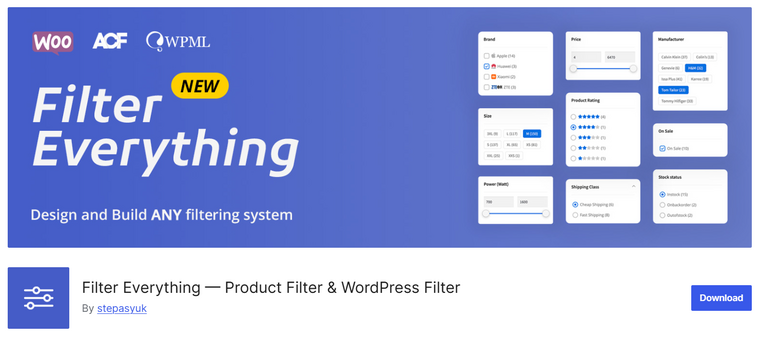
Filter Everything is a powerful WooCommerce product filter plugin designed to help customers quickly narrow down products by attributes, taxonomies, price, ratings, and custom fields.
It works with standard WooCommerce filters as well as custom product data, making it suitable for stores with large or complex catalogs. The plugin supports AJAX-based filtering, so results update instantly without page reloads, improving user experience and conversion potential.
It integrates smoothly with most WordPress themes and page builders, allowing you to create SEO-friendly filter URLs for better indexing. With flexible display options such as checkboxes, dropdowns, and sliders, store owners can build advanced filter layouts without touching code.
Features
- AJAX product filtering without page reload
- Filters by attributes, price, taxonomies, and custom fields
- SEO-friendly URLs for filtered pages
- Works with most themes and page builders
- Multiple layouts and display styles
Pros
- Easy setup and configuration
- Strong performance on large product catalogs
- Good SEO support for filtered results
- Flexible filter logic
Cons
- Advanced features require the Pro version
- The interface may feel technical for beginners
Pricing
Free version available. Pro plans start at around $49 per year for a single site.
2. HUSKY – Products Filter

HUSKY – Products Filter is a WooCommerce product filtering plugin built to help online store owners provide shoppers with an intuitive and fast way to find products.
It lets you create filters based on product attributes, price ranges, taxonomies, and more, with AJAX filtering that updates results instantly without page reloads. The plugin includes flexible display options like dropdowns, checkboxes, and color swatches, allowing you to tailor the filter interface to your store’s design.
HUSKY also supports SEO-friendly URLs, helping search engines index filtered product pages effectively. Its settings panel is straightforward, making it easy for store owners to build and customize filter sets without needing technical expertise.
Features
- AJAX-powered product filtering
- Filters by price, attributes, and taxonomies
- Multiple filter display styles (checkboxes, swatches, dropdowns)
- SEO-friendly filtered URLs
- Works with most WooCommerce themes
Pros
- Fast and responsive filtering experience
- Good set of display options
- SEO support for filtered pages
- Easy to configure
Cons
- Documentation could be more detailed
- Some advanced filter types need a Pro upgrade
Pricing
Free version available. Premium plans will cost you $42 (one-time fee).
3. JetSmartFilters

JetSmartFilters is a powerful filtering plugin designed mainly for WooCommerce stores built with Elementor and other page builders from the Crocoblock ecosystem. It allows you to create advanced AJAX-based filters for products using attributes, taxonomies, price ranges, ratings, and custom fields.
The plugin supports multiple filter layouts, including checkboxes, radio buttons, dropdowns, and range sliders, giving you full control over how filters appear on category and shop pages.
JetSmartFilters also works smoothly with dynamic content, making it suitable for complex catalogs and custom product setups. Its visual configuration approach makes it easy to design user-friendly filtering systems without writing code.
Features
- AJAX-powered product filtering
- Supports attributes, taxonomies, and custom fields
- Multiple filter styles, including sliders and checkboxes
- Integration with Elementor and Crocoblock tools
- Customizable filter layouts
Pros
- Excellent for Elementor-based stores
- Highly flexible filter rules
- Smooth real-time filtering
- Good UI customization options
Cons
- Limited usefulness without Elementor
- Learning curve for advanced setups
Pricing
JetSmartFilters is available as a premium plugin starting at $43 per year for a single site.
4. Advanced AJAX Product Filters
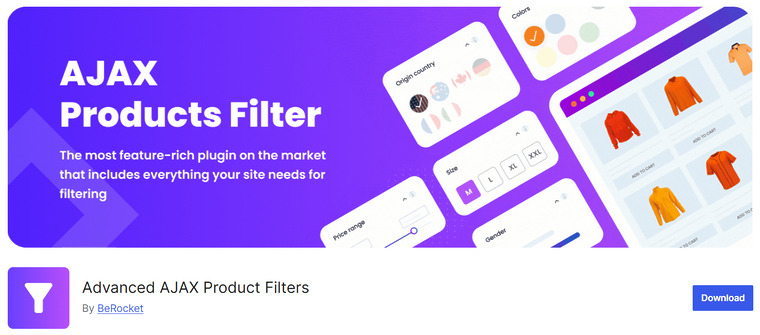
Advanced AJAX Product Filters is a feature-rich WooCommerce filtering plugin designed to help shoppers narrow down products quickly and accurately. It allows store owners to create dynamic filters based on product categories, attributes, tags, custom taxonomies, and price ranges.
The plugin uses AJAX, so filtered results appear instantly without reloading the page, improving both speed and the user experience. It also supports multiple filter layouts, including checkboxes, dropdowns, sliders, and color or image swatches.
Advanced AJAX Product Filters works well with most WooCommerce themes and is suitable for stores with large product catalogs that need precise filtering options. With its flexible configuration and performance-focused design, it helps improve product discoverability and conversion rates.
Features
- AJAX-based live product filtering
- Filters by attributes, categories, tags, and price
- Multiple filter styles, including sliders and swatches
- Supports custom taxonomies
- Compatible with most WooCommerce themes
Pros
- Fast and responsive filtering
- Highly customizable filter rules
- Suitable for large product catalogs
- Improves overall shopping experience
Cons
- The interface can feel complex for beginners
- Some advanced features require the paid version
Pricing
Free version available. Premium plans start at $44 per year.
5. YITH WooCommerce Ajax Product Filter
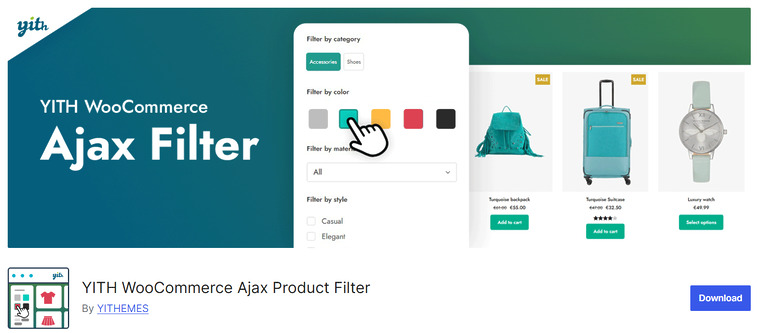
YITH WooCommerce Ajax Product Filter is a user-friendly filtering solution for WooCommerce shops that helps customers find products by attributes, tags, categories, price, and other criteria.
It uses AJAX to update product listings instantly without reloading the page, enhancing the shopping experience and reducing friction during browsing.
The plugin includes multiple filter display types, such as dropdowns, checkboxes, and labels, allowing store owners to choose how filters appear on category and shop pages.
YITH WooCommerce Ajax Product Filter also provides basic SEO-friendly filtered URLs and works smoothly with most WordPress themes. Its simple configuration makes it a good choice for store owners who want essential filtering features without a steep learning curve.
Features
- AJAX-based product filtering
- Filters by attributes, categories, tags, and price
- Multiple display types, including dropdowns and checkboxes
- Basic SEO friendly filtered URLs
- Compatible with most WordPress themes
Pros
- Easy setup and intuitive controls
- Good performance in most stores
- Works well with standard WooCommerce catalogs
- Lightweight and beginner-friendly
Cons
- Fewer advanced filter layouts
- Limited customization compared to premium options
Pricing
Free version available. Premium license starts at $89.99 per year.
6. WCAPF – WooCommerce Ajax Product Filter
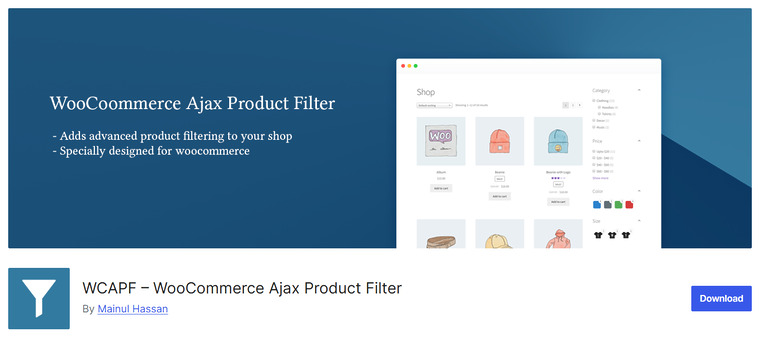
WCAPF – WooCommerce Ajax Product Filter is a flexible filtering plugin that helps customers refine product listings by price, attributes, categories, tags, and custom taxonomies without page reloads.
Using AJAX, the plugin updates product results instantly as shoppers adjust filters, enhancing browsing speed and usability on shop and category pages.
It includes a variety of filter display options such as checkboxes, dropdowns, radio buttons, and sliders, giving store owners control over how filters appear and behave.
WCAPF also supports SEO friendly filtered URLs, helping search engines index filtered product pages properly. The plugin is designed to be compatible with most WooCommerce themes and can handle medium to large product catalogs with ease.
Features
- AJAX-powered product filtering
- Filters by price, attributes, categories, and taxonomies
- Multiple display types, including checkboxes and sliders
- SEO friendly filtered URLs
- Works with most WooCommerce themes
Pros
- Easy to set up and configure
- Good variety of filter types
- SEO support for filtered listings
- Works well across many themes
Cons
- Fewer advanced customization options
- Some complex filters require a premium upgrade
Pricing
Free version available. Premium plans typically start at $39 per year.
7. Product Filter for WooCommerce by WBW
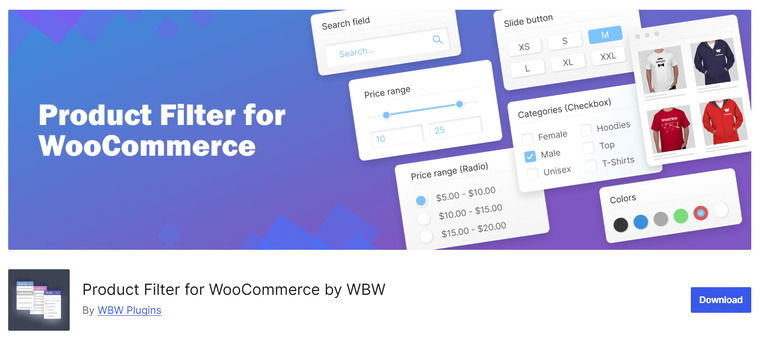
Product Filter for WooCommerce by WBW is a robust filter plugin designed to help shoppers refine product listings with precision and speed. It offers a range of filter options, including price ranges, attributes, categories, tags, stock status, and custom taxonomies.
The plugin uses AJAX filtering so results update instantly without reloading the page, providing a seamless browsing experience for customers.
With a variety of filter display types, including checkboxes, dropdowns, sliders, and swatches, store owners can tailor the filter interface to match their shop design.
Product Filter for WooCommerce by WBW also supports SEO-friendly URLs for filtered pages, helping improve indexability. Its combination of customization and performance makes it suitable for stores of all sizes.
Features
- AJAX-based live product filtering
- Filters by price, attributes, categories, tags, and more
- Multiple filter layouts, including checkboxes and sliders
- SEO friendly filtered URLs
- Compatible with most WooCommerce themes
Pros
- Powerful filter logic
- Flexible display and layout options
- Works well with large product catalogs
- Good SEO support for filtered results
Cons
- Learning curve for advanced configurations
- Some styling options require custom CSS
Pricing
Free version available. Premium plans start at $59 per year.
Frequently Asked Questions
Now, let’s take a look at some frequently asked questions and answers about this topic.
What is a WooCommerce product filter plugin?
A WooCommerce product filter plugin lets shoppers narrow down products by criteria such as price, categories, tags, attributes, or ratings, making it easier to find relevant products quickly.
Do product filter plugins affect website performance?
Well-optimized product filter plugins use AJAX and caching to load filtered results without refreshing the page, which minimizes performance impact on most WooCommerce stores.
Are WooCommerce product filter plugins mobile-friendly?
Most modern filter plugins are responsive and adapt well to mobile devices, ensuring customers can filter products easily on smaller screens.
Can product filters work with custom product attributes?
Yes, many product filter plugins support custom attributes and taxonomies, allowing you to create filters based on size, color, brand, or other custom data.
Do these plugins work with page builders?
Several WooCommerce product filter plugins integrate with popular page builders, allowing you to add and style filters visually without manual coding.
Are filtered product pages SEO-friendly?
Many plugins generate clean URLs for filtered results, which helps search engines index filtered pages properly and improves discoverability.
Do I need coding knowledge to use a product filter plugin?
No, most WooCommerce product filter plugins provide visual settings panels and shortcodes or widgets, so store owners can configure filters without technical expertise.
Conclusion
When choosing among the best WooCommerce product filter plugins, the right solution depends on your store’s size and goals.
If you want a flexible and simple all-around option, Filter Everything and Advanced AJAX Product Filters are easy to set up and cover most filtering needs. For stores that use page builders and need deep customization, JetSmartFilters pairs well with builder interfaces.
If you want a feature-rich yet intuitive plugin, YITH WooCommerce Ajax Product Filter offers solid controls for attributes and layouts. Husky – Products Filter and WCAPF are great for lightweight, performance-focused filtering, while Product Filter for WooCommerce by WBW provides advanced variation filters and layout options for larger catalogs.
Each of these plugins helps improve product discovery and enhances user experience in its own way.
Which plugin are you going to choose?
Let us know in the comments.