Are you looking for the best Wordfence security alternatives? If you are, keep reading this article. In this post, we will show you seven of the best plugins you can use to secure your website.
Securing a WordPress site is no longer optional, especially as attacks targeting plugins, themes, and login pages continue to rise.

While Wordfence is a popular choice for protection, it is not always the best fit for every website due to performance concerns, pricing, or feature limitations.
This is where Wordfence security alternatives become valuable for site owners who want stronger control, lighter resource usage, or more specialized tools. From firewalls and malware scanners to real-time monitoring and login protection, many security plugins now offer advanced features designed for different use cases.
In this guide, we explore the best Wordfence security alternatives that help you safeguard your WordPress site without sacrificing speed, usability, or flexibility.
First, let’s take a look at what Wordfence is and what it offers.
Wordfence: An Introduction

Wordfence is one of the most widely used security plugins for WordPress, designed to protect websites from malware, brute-force attacks, and unauthorized access. It combines a web application firewall with a malware scanner that checks core files, themes, and plugins for suspicious activity.
Wordfence also includes login protection features such as two-factor authentication and rate limiting to help prevent credential-based attacks. Its dashboard provides real-time security alerts and traffic monitoring, giving site owners visibility into potential threats.
While Wordfence is powerful and feature-rich, it can be resource-intensive on some hosting environments, and certain advanced tools are locked behind its premium plan.
These factors lead many users to explore Wordfence security alternatives that offer similar protection with different performance and pricing trade-offs.
What to Look for In a WordPress Security Plugin
Choosing the right WordPress security plugin means balancing strong protection with good performance and ease of management.
- Firewall and malware scanning: Look for plugins that block malicious traffic and scan files for malware, suspicious code, and vulnerabilities.
- Login and user protection: A good security plugin should include brute-force protection, two-factor authentication, and login rate limiting.
- Performance impact: The plugin should secure your site without significantly slowing it down or overloading server resources.
- Real-time updates and threat intelligence: Choose solutions that update their threat databases regularly to protect against new attack methods.
- Alerts and monitoring: Security plugins should provide clear notifications and logs to enable a quick response to potential threats.
Best 7 Wordfence Security Alternatives
| Plugin | Ease of Use | Firewall Protection | Malware Scanning | Login Protection | Author Rating |
|---|---|---|---|---|---|
| Sucuri Security | Moderate | Yes | Yes | Basic | 4.5/5 |
| Solid Security | Easy | Yes | Yes | Yes | 4.3/5 |
| MalCare | Easy | Yes | Yes (deep malware scanning) | Yes | 4.6/5 |
| All In One WP Security | Moderate | Yes | Yes | Yes | 4.2/5 |
| SecuPress | Easy | Yes | Yes | Yes | 4.4/5 |
| Shield Security | Easy | Yes | Yes | Yes | 4.3/5 |
| Jetpack Security | Very easy | Yes | Yes | Yes | 4.1/5 |
Let’s take a closer look at each option.
1. Sucuri Security
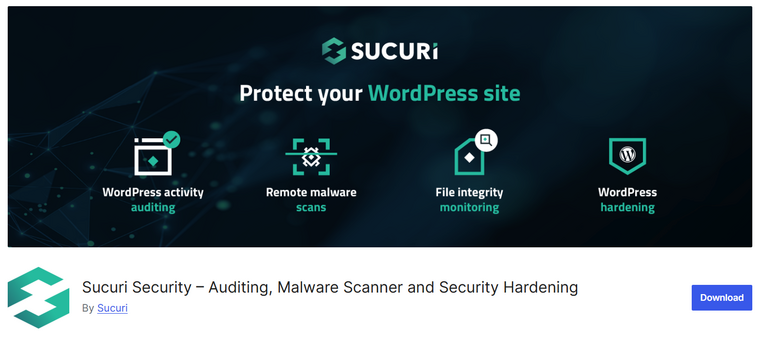
Sucuri Security is a comprehensive WordPress security solution that serves as a dependable alternative to Wordfence for users seeking strong protection and monitoring. It provides a robust web application firewall, malware scanning, and audit logging to detect and block threats before they impact your site.
Sucuri’s firewall works at the DNS level, filtering malicious traffic and blocking common attack vectors such as SQL injection and cross-site scripting. The plugin also includes integrity checks to alert you when core files, themes, or plugins are modified unexpectedly.
Its security hardening tools help protect login forms, enforce strong passwords, and limit unauthorized access. Because of its cloud-based firewall and distributed protection network, Sucuri helps safeguard websites with minimal performance impact.
Features
- Cloud-based web application firewall
- Malware scanning and blacklist monitoring
- File integrity checks
- Security hardening tools
- Activity audit logs
Pros
- Strong firewall protection
- Cloud-powered threat filtering
- Real-time notifications and monitoring
- Works well with most hosting environments
Cons
- Advanced features require premium plans
- Setup may feel technical for beginners
Pricing
Sucuri Security offers a free plugin with basic scanning and hardening. Premium plans with firewall and advanced protection start at around $229 per year.
2. Solid Security
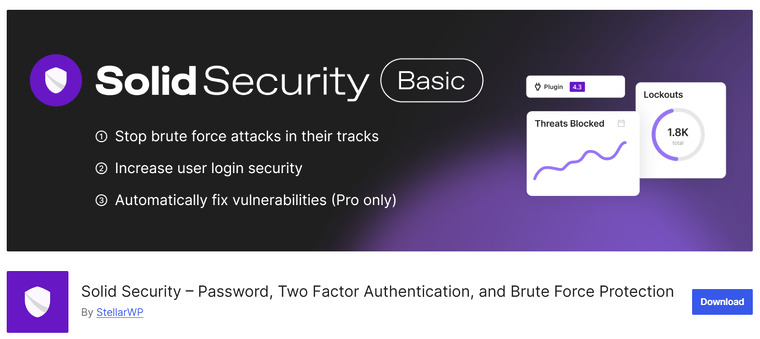
Solid Security is a lightweight WordPress security plugin designed to protect sites with essential defenses while minimizing performance impact.
As a practical Wordfence security alternative, it offers features such as firewall protection, login hardening, and vulnerability detection that help block common attack types before they can affect your site.
The plugin also includes tools to monitor file changes and detect unauthorized access attempts, giving you visibility into potential threats.
Solid Security focuses on simplicity with clean settings and guided configuration options, making it suitable for users who want strong protection without complex setup. It also supports automated scanning and alerts, helping you stay informed about potential issues without constant manual checks.
Features
- Web firewall protection
- Login protection and brute-force prevention
- File change monitoring
- Vulnerability scanning
- Real-time security alerts
Pros
- Lightweight and efficient
- Designed for easy setup
- Good balance of essential security tools
- Works well with most themes and plugins
Cons
- Fewer advanced security tools than enterprise solutions
- Some features are limited to premium plans
Pricing
Solid Security offers a free core version. Premium features are available with plans starting at around $99 per year.
3. MalCare

MalCare is a WordPress security plugin focused on deep malware scanning and automatic cleanup, making it a strong alternative to Wordfence for site owners who want reliable protection without heavy manual work.
Unlike many other tools that only scan for known signatures, MalCare uses advanced algorithms and remote server processing to quickly and accurately detect complex threats. This approach also means scans do not burden your hosting resources.
In addition to real-time malware detection, MalCare includes a built-in firewall, login protection, and scheduled scanning to keep your site secure around the clock.
The restore and cleanup tools allow you to remove malware with minimal effort, reducing downtime and risk. Its intuitive dashboard simplifies management for both beginners and experienced users.
Features
- Deep malware scanning with algorithmic threat detection
- Automated malware cleanup
- Web application firewall protection
- Login hardening and brute-force attack protection
- Scheduled automatic scans
Pros
- Effective malware detection and cleanup
- Minimal performance impact on hosting
- Real-time and scheduled protection
- Beginner-friendly interface
Cons
- Fewer advanced firewall tuning options
Pricing
Freemium plugin with plans starting at $99 per year.
4. All In One WP Security
All In One WP Security is a comprehensive, user-friendly WordPress security plugin that serves as a solid alternative to Wordfence for site owners seeking extensive protection without a premium subscription. It provides a suite of tools that strengthen your website’s defenses against common threats, including brute-force login protection, firewall rules, and database security.
The plugin includes a visual security strength meter that helps you track improvements as you apply recommended hardening settings. All In One WP Security also offers detailed logs of login activity, spam-prevention options, and blacklist features for IP blocking.
Because it organizes security measures into beginner, intermediate, and advanced categories, users can enable protections at their own pace without overwhelming complexity.
Features
- Brute-force login protection
- Basic firewall rules
- Database and file security hardening
- Login activity logs and lockouts
- IP blacklist and spam prevention tools
Pros
- Organized and easy to navigate
- Covers a broad range of security areas
- No performance-heavy scanning
Cons
- Interface can feel dated
Pricing
It is a freemium plugin, and the free version is available from the repository. The premium version will cost you $70 a year.
5. SecuPress
SecuPress is a modern WordPress security plugin that delivers strong protection with a clean, intuitive interface, making it a worthy Wordfence alternative for users who want powerful defenses without complexity.
The plugin includes comprehensive firewall, malware-scanning, and login-protection features to help prevent common attacks, such as brute-force attempts and unauthorized access.
SecuPress also offers advanced security hardening tools, such as blocking vulnerable PHP files, limiting login attempts, and strengthening default WordPress settings.
Its dashboard presents actionable recommendations and status indicators that guide users through securing their site step by step. With emphasis on both automation and ease of use, SecuPress helps users achieve a solid security posture without needing extensive technical knowledge.
Features
- Web application firewall protection
- Malware scanning and alerts
- Login protection and brute-force prevention
- Security hardening recommendations
- Block vulnerable files and paths
Pros
- Intuitive and clean interface
- Strong core protection tools
- Helpful guided security recommendations
- Works well for beginners and intermediate users
Cons
- Some advanced modules are premium-only
- Fewer ecosystem integrations than larger plugins
Pricing
SecuPress offers a free version with basic features. Premium plans with advanced tools start at around $69.99 per year.
6. Shield Security
Shield Security is a powerful WordPress security plugin that offers robust protection with minimal setup, making it a strong Wordfence alternative for site owners who want effective defense without complexity.
The plugin includes a web application firewall that helps stop malicious traffic, brute-force login protection, and automated bot blocking. Shield also features detailed activity logs and audit trails so you can see what’s happening behind the scenes, along with options to enforce strong password policies and two-factor authentication to secure user accounts.
Its intelligent automation handles many security tasks in the background, reducing the need for constant manual configuration. Shield’s approach prioritizes both security and performance, helping keep your site safe without causing slowdowns.
Features
- Web application firewall protection
- Brute-force login protection
- Bot blocking and rate limiting
- Activity logs and audit trails
- Two-factor authentication support
Pros
- Easy to configure with sensible defaults
- Strong automated protection
- Detailed audit logging
- Works well on varied hosting environments
Cons
- Some advanced features are part of paid plans
- The interface may feel technical for absolute beginners
Pricing
Shield Security offers a free core plugin. Premium plans with advanced features start at around $129 per year.
7. JetPack Security
Jetpack Security is an all-in-one WordPress protection solution that combines essential security features with performance and site management tools, making it a practical Wordfence security alternative for users who want both ease of use and broad coverage.
The plugin includes automated backups, malware scanning, and a powerful firewall against brute-force attacks. It also offers real-time threat detection and spam protection, helping safeguard your site without needing multiple extensions.
Jetpack Security’s integration with the WordPress.com infrastructure provides stability and off-site monitoring, which adds an extra layer of protection.
Its user-friendly dashboard and automatic configuration make it especially appealing for beginners and small business owners who want professional-grade security without complex setups.
Features
- Automated backups and site restore tools
- Malware scanning and threat detection
- Brute-force login protection
- Spam detection and filtering
- Cloud-based firewall and monitoring
Pros
- Combines security and backup tools in one plugin
- User-friendly with automatic setup
- Real-time scanning and protection
- Good for beginner users
Cons
- Advanced security features require a paid plan
- Some tools are tied to the Jetpack ecosystem
Pricing
Jetpack Security is available as part of Jetpack plans, with security-focused subscriptions starting at approximately $9.95 per month.
Frequently Asked Questions
Now, let’s take a look at some frequently asked questions about this topic.
What is the best alternative to Wordfence for WordPress security?
The best alternative depends on your security priorities. Some plugins specialize in malware scanning, while others focus on firewalls or login protection. A good choice is a plugin that combines real-time monitoring, automated blocking, and regular updates.
Do Wordfence alternatives provide firewall protection?
Yes, most Wordfence alternatives include firewall features that block malicious traffic, brute-force attacks, and suspicious IP addresses before they reach your site.
Are free WordPress security plugins enough for basic protection?
Free plugins usually offer core protection, such as login security and basic scanning. Premium versions add advanced features like real-time threat detection, scheduled scans, and automated malware removal.
Can I use more than one security plugin at the same time?
Using multiple security plugins is not recommended because their features can overlap and conflict. This may cause performance issues or false positives. It is better to use a single comprehensive security solution.
Do WordPress security plugins affect website performance?
Some security plugins can impact performance, especially during scans. Choosing a lightweight plugin with optimized scanning and firewall rules helps keep your site fast.
Is malware removal included in Wordfence alternatives?
Many alternatives offer malware detection, but automatic removal is often limited to paid plans. Premium versions usually include full cleanup tools and recovery options.
How often should I scan my WordPress site for security threats?
Daily scans are ideal for active or business websites. Smaller sites can use weekly scans, but real-time protection offers the highest level of security against new threats.
Conclusion
When choosing among Wordfence security alternatives, it helps to match the plugin to your specific protection needs.
If you want comprehensive, all-around security with minimal setup, Sucuri Security and SecuPress are excellent choices, thanks to their strong firewalls and malware scanning.
For users seeking a free yet capable solution, All In One WP Security and Shield Security provide essential protection without premium costs. If your site requires deep, automated malware scanning and cleanup, MalCare stands out with its specialized tools.
Sites hosted on lighter servers may benefit from a lightweight but effective option like Solid Security. For beginners who want a simple setup with good default protection, Jetpack Security is worth considering.
Ultimately, the best alternative is the one that aligns with your level of expertise, performance priorities, and security goals.
Which plugin are you going to choose?
Let us know in the comments.