Are you looking for the best WordPress WhatsApp plugins? If you are, keep reading this article. Here, we will show you seven of the best plugins you can use to add a WhatsApp chat widget in WordPress.
WhatsApp has become an essential communication tool for businesses looking to engage with customers directly, provide instant support, and boost sales. Integrating WhatsApp with WordPress can streamline customer interactions, simplify inquiries, and create a more personalized experience.

With the right WhatsApp plugin, you can add chat buttons, automated messages, click-to-chat links, and even integrate with CRM or marketing tools. Whether you run an online store, a service business, or a blog, these plugins make it easy to connect with your audience in real time.
In this article, we’ve compiled the 7 best WordPress WhatsApp plugins for businesses, offering powerful features, reliable performance, and user-friendly interfaces to help you choose the right solution for your website.
First, let’s see what WordPress WhatsApp plugins are and why we need them.
What Are WordPress WhatsApp Plugins
WordPress WhatsApp plugins let you integrate WhatsApp messaging directly into your WordPress website.
They enable businesses to communicate instantly with visitors, answer queries, provide customer support, and even send notifications or updates.
These plugins typically offer features like click-to-chat buttons, automated greetings, customizable chat widgets, and multi-agent support. By connecting WhatsApp to your website, you can create a seamless communication channel that improves customer engagement and builds trust.
Whether you run an online store, a service website, or a blog, WhatsApp plugins make it easy to connect with your audience in real time, enhance the user experience, and increase conversion rates.
What to Look for In WordPress WhatsApp Plugins
Choosing the right WhatsApp plugin for your WordPress site can make a big difference in customer engagement and site functionality.
- Ease of Use: The plugin should have a user-friendly interface that requires minimal setup and configuration.
- Customization Options: Look for plugins that let you style chat buttons, widgets, and messages to match your site’s branding.
- Multi-Agent Support: Ability to manage multiple agents or departments to handle customer queries efficiently.
- Automation Features: Options like automated greetings, quick replies, and scheduled messages can save time and improve response rates.
- Compatibility: Ensure the plugin works smoothly with your theme, other plugins, and the latest WordPress version.
Best 7 WordPress WhatsApp Plugins to Try
| Plugin | Best For | Works With Page Builders | User Rating |
|---|---|---|---|
| Click to Chat – HoliThemes | Small businesses and online stores | Yes | 4.8/5 |
| Social Chat by QuadLayers | Businesses needing multi-agent support | Yes | 4.7/5 |
| Joinchat | Bloggers and content sites | Yes | 4.6/5 |
| WP Chat App by Ninja Team | Businesses wanting advanced chat features | Yes | 4.7/5 |
| Simple Chat Button by Seramo | Minimalist sites needing a basic button | Limited | 4.5/5 |
| Cresta Help Chat | Sites needing simple help chat | Yes | 4.4/5 |
| Floating Chat Widget by Premio | Sites wanting floating chat across pages | Yes | 4.6/5 |
Let’s take a closer look at each plugin.
1. Click to Chat – HoliThemes
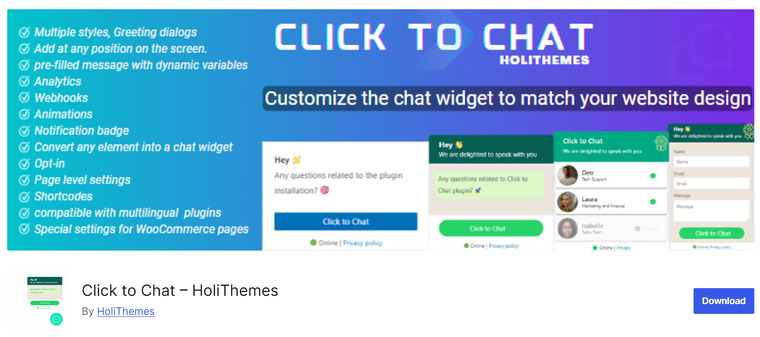
Click to Chat is a freemium WordPress plugin that makes it easy to add a WhatsApp chat button to your website, allowing visitors to contact you directly. You can enter your WhatsApp or WhatsApp Business number and add a customizable call‑to‑action button that opens a chat with a pre‑filled message.
The plugin offers multiple design styles for the chat button and lets you select screen positions for both desktop and mobile. You can also create custom greetings to boost engagement and use shortcodes to place buttons anywhere in your content.
With options to customize the button appearance, add unique images or GIFs, and display the chat on selected pages, Click to Chat helps improve customer communication without requiring any coding skills.
Features
- Customizable WhatsApp chat button with multiple styles
- Option to add a custom greetings dialog
- Display chat on specific pages or site‑wide
- Shortcode support to insert chat buttons in content
- Custom pre‑filled message and dynamic variables
Pros
- Easy to set up and use for quick WhatsApp integration
- Multiple design styles and button positioning options
- Works with WooCommerce and supports page‑specific chat behavior
Cons
- Some advanced features, like multi‑agent support, require the premium plan
- More complex animations and triggers are locked behind Pro
Pricing
Click to Chat is a freemium plugin with a free version on the WordPress repository, and the premium plan starts at $18 per year for a single site.
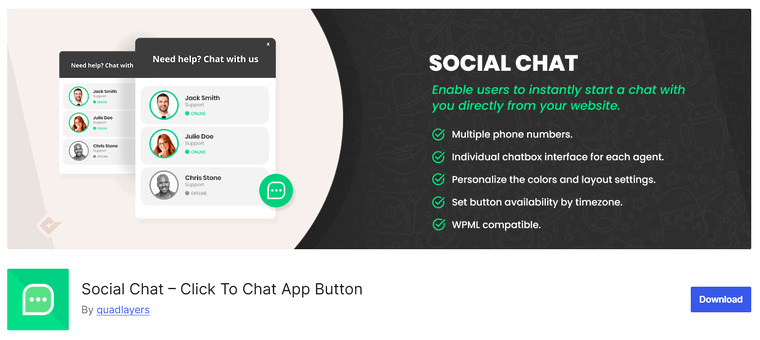
Social Chat is a freemium WordPress plugin that allows you to add a WhatsApp chat button to your website for instant communication with visitors. It lets you display a clickable button that opens a direct chat with your business number, making it easy for customers to reach you quickly.
You can customize the button text, position, and default message to provide a personalized experience. The plugin supports multiple agents, each with their own name, title, and avatar, which helps enhance trust and professionalism.
It works with WooCommerce to add WhatsApp buttons on product pages and supports page-specific display rules. Social Chat is lightweight, easy to configure, and suitable for businesses looking to improve engagement and convert visitors into leads or customers.
Features
- Floating WhatsApp chat button with customizable text and position
- Supports multiple agents with names, titles, and avatars
- Display chat button on selected pages or site-wide
- WooCommerce support to add chat buttons on product pages
- Page-specific rules and dynamic message options
Pros
- Multi-agent support for segmented customer communication
- Customizable button features for better engagement
- WooCommerce integration enhances sales opportunities
Cons
- Some advanced features require the premium plan
- Multi-platform chat options are limited without a premium
Pricing
Social Chat is a freemium plugin with a free version on the WordPress repository, and the premium plan starts at $49 per year for advanced features.
3. Joinchat
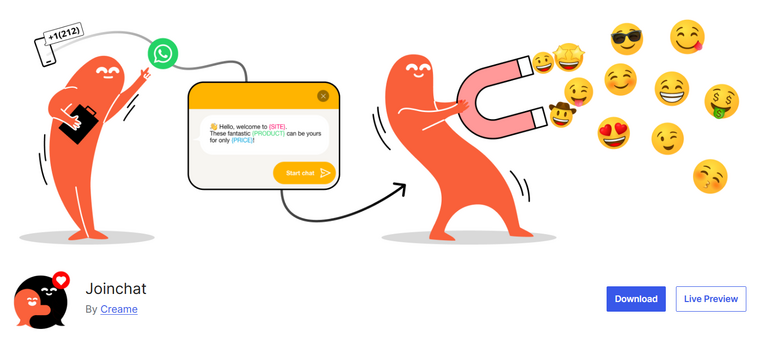
Joinchat is a freemium WordPress WhatsApp plugin that adds a customizable floating contact button to your website so visitors can start a chat with your business instantly. You can set your WhatsApp or WhatsApp Business number and configure how and where the button appears, including its position, delay, and visibility rules for different pages or devices.
The plugin offers dynamic variables to personalize the initial message based on the page, product data, or site information, which helps tailor conversations. Joinchat works with popular multilingual plugins and supports WooCommerce, allowing you to display WhatsApp contact buttons on product pages.
Advanced capabilities in the premium version include rich chat bubbles, support agents, multiple channels, automation triggers, and analytics integration for tracking user interactions and conversions.
Features
- Floating WhatsApp contact button with position and visibility controls
- Page‑specific display settings for targeted chat placement
- Dynamic message variables for personalized start messages
- WooCommerce integration for product page chat buttons
- Multilingual and RTL support for global compatibility
Pros
- Personalized start messages boost engagement
- Works with page builders and multilingual plugins
- Supports Google Analytics and event tracking
Cons
- Some advanced automation and multi‑agent features require premium
- Slight learning curve for full customization
Pricing
Joinchat is a freemium plugin with a free version available on the WordPress repository, and the premium plan starts at €96 per year for advanced features.
4. WP Chat App
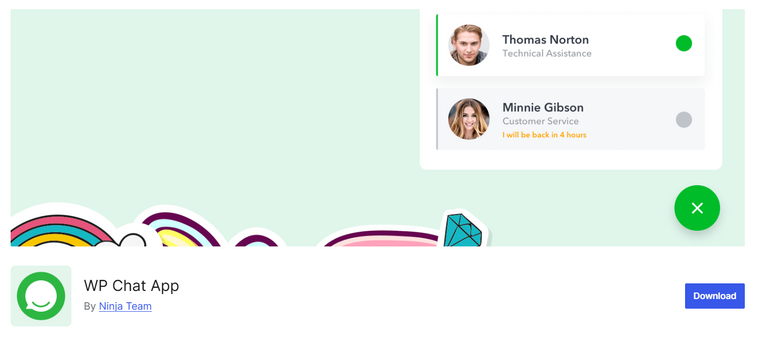
WP Chat App is a feature-rich WhatsApp integration plugin for WordPress that lets you add a floating chat button, a stationary button, or a widget to your website, making it easier for visitors to reach your business directly via WhatsApp.
It supports multiple customer service agents, sales reps, or support team members, each with their own name, title, avatar, and custom greetings, helping create a more personal interaction. You can display the chat widget on specific pages or on all pages, and place a WhatsApp button via a shortcode anywhere on your site.
The plugin works smoothly with popular caching plugins and page builders and supports WooCommerce product pages with WhatsApp buttons. It is easy to set up, works with translation plugins like WPML, and requires no coding knowledge.
Features
- Floating WhatsApp chat widget with agent details and custom greetings
- Shortcode support to add buttons anywhere on the site
- WooCommerce WhatsApp buttons on product pages with placement options
- Compatible with popular caching plugins like WP Rocket and W3 Total Cache
- Works with multilingual plugins like WPML for translation support
Pros
- Supports multiple agents for segmented customer support
- Works well with WooCommerce and page builders
- No coding required and simple setup for beginners
Cons
- Some advanced features, like working hours and avatars, require the Pro version
- Event tracking and analytics tools are only available in premium
Pricing
WP Chat App is a freemium plugin available on the WordPress.org repository. The premium version with advanced features can be purchased from CodeCanyon for $39 (one-time fee).
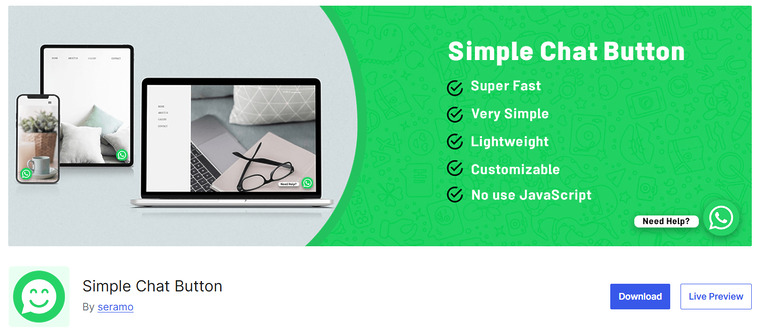
Simple Chat Button is a lightweight WordPress plugin that adds a sticky WhatsApp chat button to your website, allowing visitors to contact you instantly with a single click.
Designed for simplicity and speed, it avoids heavy scripts that can slow down your site. You can enter your WhatsApp or WhatsApp Business number and set a default message that appears when the user clicks the button.
The plugin allows the button to be positioned differently on desktop, tablet, and mobile devices. With zero setup complexity, it works right out of the box and supports language translation settings.
This plugin focuses solely on core chat functionality, making it ideal for websites that want a straightforward WhatsApp integration without unnecessary bloat.
Features
- Adds a sticky WhatsApp chat button to the frontend
- Allows setting a default message for quick contact
- Supports different button positions on mobile, tablet, and desktop
- Lightweight and fast with minimal impact on site performance
- Minimal settings for easy and quick setup
Pros
- Extremely lightweight and fast
- Simple setup, no technical skills required
- Compatible with WhatsApp and WhatsApp Business numbers
Cons
- Basic features only, no advanced chat options
- Cannot handle multiple agents or departments
Pricing
Simple Chat Button is a free plugin available on the WordPress.org repository with all features included and no premium version.
6. Cresta Help Chat
Cresta Help Chat is a freemium WordPress plugin that lets you add a WhatsApp chat button to your website so visitors can contact you with a single click.
The free version lets you display a floating WhatsApp button at the bottom corner of your site and use a shortcode to place a button inside posts or pages. You can choose where the chat button appears and make it open in WhatsApp Web or the mobile app when clicked.
Cresta Help Chat is compatible with WooCommerce and multilingual plugins, giving you flexibility across different site types. The premium version unlocks more customization options like button position control, additional styles, widget support, tooltip text, size options, and animations.
Features
- Floating WhatsApp chat button with mobile and desktop support
- Shortcode support to place chat button anywhere
- Option to choose which pages show the WhatsApp button
- Works with WooCommerce and multilingual plugins
- Premium customization options like colors, size, and animations
Pros
- Easy setup with simple settings
- Compatible with WooCommerce for product page chat
- Works well with translation plugins
Cons
- The free version has limited styling options
- Advanced design and widget features require a premium
Pricing
Cresta Help Chat is a freemium plugin; the free version is available on the WordPress repository, and the premium plan starts at €12.99 per year.
7. Floating Chat Widget
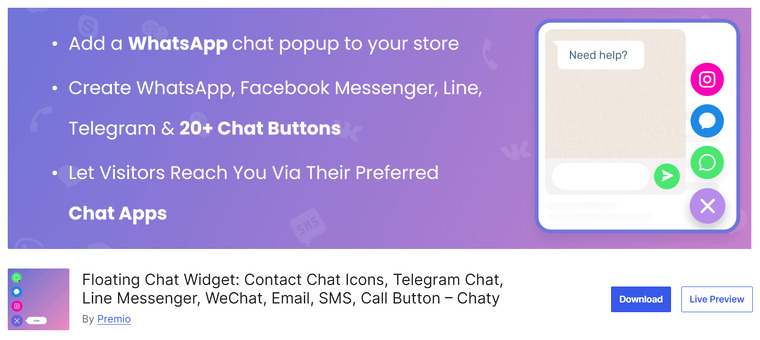
Floating Chat Widget is a powerful freemium WordPress plugin that adds a floating chat widget, supporting WhatsApp and more than 20 other communication channels, including Messenger, Telegram, Viber, SMS, email, phone click‑to‑call, and social messaging platforms.
The plugin lets you display multiple icons so your visitors can choose their preferred method of contact. You can customize the widget layout, colors, call‑to‑action message, widget position, and display triggers for specific pages or devices.
Advanced features in the premium plan include unlimited chat icons, personalized chat popups, chat agents, page targeting, widget visibility rules, and widget design options. Floating Chat
Widget works with all major WordPress themes and page builders, offering flexible configuration without technical skills. It’s suited for businesses needing multi‑channel contact options beyond WhatsApp.
Features
- Multi‑channel floating chat widget with WhatsApp, Messenger, Telegram, Viber, and more
- Custom call‑to‑action messages and icon design options
- Page and device targeting for widget display
- Support for multiple chat channels and chat agents
- Widget triggers and visibility rules for advanced control
Pros
- Supports many chat platforms in one widget
- Customizable design and targeting options
- Works with all themes and page builders
Cons
- Some advanced features require the premium plan
- More features than needed for simple WhatsApp‑only use
Pricing
Floating Chat Widget is a freemium plugin with a free version available; the premium plan starts at $59 per year, offering advanced multi‑channel and customization features.
Frequently Asked Questions
Now, let’s take a look at some frequently asked questions and answers about this topic.
What is a WhatsApp plugin for WordPress?
A WhatsApp plugin lets you integrate WhatsApp chat into your WordPress site, enabling direct communication with visitors, instant support, and improved engagement.
Do I need coding skills to use these plugins?
Most plugins are beginner-friendly and require no coding. Some advanced features may need a basic understanding of PHP or HTML.
Can I manage multiple WhatsApp numbers?
Certain plugins, such as Social Chat by QuadLayers and WP Chat App, support multiple phone numbers to handle different departments or agents.
Will these plugins work with any WordPress theme?
Yes, all recommended plugins are compatible with most themes and popular page builders.
Yes, almost all plugins allow you to customize styling, positioning, and messages to match your site’s branding.
Are automated greetings and quick replies available?
Many plugins, such as WP Chat App and Click to Chat, offer automated greetings, quick replies, or pre-set messages to save time.
Are these plugins free or paid?
Most offer a free version with core features. Premium versions unlock advanced functionality, such as multi-agent support and cloud snippet management.
Conclusion
In conclusion, choosing the right WhatsApp plugin for your WordPress site depends on your business needs and goals.
For small businesses and online stores, Click to Chat – HoliThemes offers a simple and effective solution for direct customer engagement.
If you need multi-agent support to handle different departments, Social Chat by QuadLayers or WP Chat App by Ninja Team are excellent choices.
Bloggers and content-driven sites will benefit from Joinchat, which provides a lightweight, user-friendly interface. For minimalist sites requiring a basic chat button, Simple Chat Button by Seramo is perfect.
Cresta Help Chat works well for websites that need a simple help chat setup, while the Floating Chat Widget by Premio is ideal for sites looking for a floating chat across multiple pages. Selecting the right plugin ensures smooth communication and improved customer interaction.
Which plugin are you going to use?
Let us know in the comments.