Are you looking for the best WP Mail SMTP alternatives? If you are, keep reading this article. Here, we will show you 7 of the best SMTP plugins to improve your deliverability.
Email delivery problems are common on WordPress sites because the default PHP mail function lacks proper authentication, resulting in important messages ending up in spam folders or failing to deliver.

This can affect contact form submissions, password reset emails, and WooCommerce order notifications, resulting in a poor user experience and lost trust.
SMTP plugins fix this issue by sending emails through verified mail servers with correct DNS and authentication settings, improving both reliability and inbox placement.
WP Mail SMTP is a well-known option, but it may not suit every website due to its cost, complex setup, or missing features such as detailed logs or flexible integrations.
In this article, we’ll explore the 7 best WP Mail SMTP alternatives to help you improve email deliverability and choose the most suitable solution for your WordPress site.
First, we will see what to look for in an SMTP plugin.
What to Look for In an SMTP Plugin
Choosing the right SMTP plugin is essential for ensuring your WordPress emails are delivered reliably and securely.
A good plugin should not only replace the default mail function but also provide tools to authenticate your emails, monitor delivery, and simplify configuration.
Since different websites have different needs, it’s important to focus on features that improve both performance and usability without adding unnecessary complexity.
- Easy setup and configuration: The plugin should offer a simple setup wizard or clear settings panel so you can connect your mail service without dealing with complex server-level configurations.
- Support for multiple mailers: It should work with popular email services like Gmail, Outlook, Amazon SES, or custom SMTP servers, giving you flexibility if you switch providers later.
- Email logging and tracking: Built-in logs help you verify whether emails were sent successfully and troubleshoot delivery issues when messages fail.
- Security and authentication: Look for support for SSL/TLS encryption and proper authentication methods to prevent spoofing and improve trust with mail servers.
- Compatibility with WordPress plugins: The SMTP plugin should integrate smoothly with contact forms, membership plugins, and WooCommerce to ensure all system emails are routed correctly.
Best 7 WP Mail SMTP Alternatives
| Plugin | Best For | Ease of Use | Email Service Support | Free Version |
|---|---|---|---|---|
| Easy WP SMTP | Simple SMTP setup for small sites | Very easy | Gmail, Outlook, Yahoo, custom SMTP | Yes |
| FluentSMTP | Advanced routing and performance | Easy to moderate | Amazon SES, SendGrid, Mailgun, Gmail, Outlook | Yes |
| Post SMTP | Troubleshooting email delivery issues | Moderate | Gmail, Office 365, SendGrid, Mailgun, custom SMTP | Yes |
| YaySMTP | Transactional and WooCommerce emails | Easy | Amazon SES, Gmail, Outlook, SendGrid, Mailgun | Yes |
| SMTP Mailer | Lightweight email sending | Very easy | Gmail and custom SMTP servers | Yes |
| Gmail SMTP | Sending emails via Google servers | Easy | Gmail and Google Workspace | Yes |
| WP Offload SES Lite | High-volume email sending | Moderate | Amazon SES only | Yes |
1. Easy WP SMTP

Easy WP SMTP is a lightweight WordPress plugin that improves email deliverability by sending all outgoing messages through an authenticated SMTP server instead of the default PHP mail function.
It is designed for users who want a quick and uncomplicated way to fix common WordPress email issues, such as contact form messages not arriving or password reset emails failing.
The plugin supports popular mail services like Gmail, Outlook, and Yahoo, as well as custom SMTP providers, making it flexible enough for most small websites. Its clean interface and step-by-step setup process help reduce configuration errors, while secure SSL/TLS encryption ensures emails are transmitted safely.
Overall, it focuses on reliability and ease of use rather than advanced email management features.
Features
- Supports Gmail, Outlook, Yahoo, and custom SMTP servers
- Simple setup wizard for fast configuration
- Secure authentication with SSL/TLS
- Built-in test email tool
- Lightweight and performance-friendly
Pros
- Very easy for beginners to configure
- The free version is sufficient for basic needs
- Clean and simple interface
- Works well with contact forms and notifications
Cons
- Not ideal for high-volume transactional emails
Pricing
Freemium plugin. A free version is available, and the premium version starts at around $49.50 per year.
2. FluentSMTP
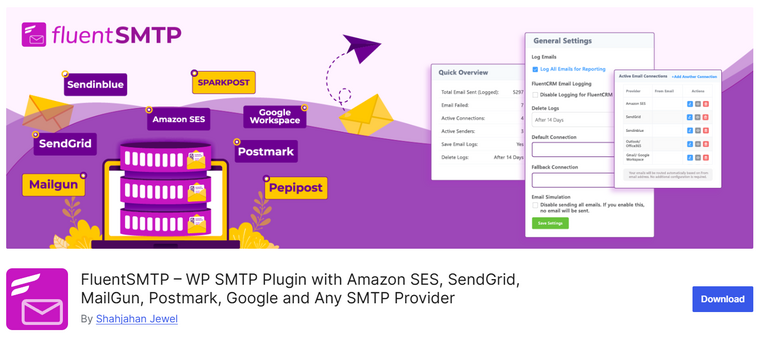
FluentSMTP is a powerful WordPress SMTP plugin designed to improve email deliverability while giving site owners more control over how their emails are sent.
Instead of relying on PHP mail, it routes messages through trusted email services such as Gmail, Outlook, Amazon SES, SendGrid, and other SMTP providers.
One of its standout strengths is email logging, which allows you to track sent emails, view their status, and troubleshoot delivery issues directly from the WordPress dashboard. The plugin also supports multiple email connections, allowing you to configure fallback services if one provider fails.
Its clean interface and guided setup make configuration straightforward, even for users without technical experience, while still offering advanced options for developers and growing websites.
Features
- Supports multiple SMTP and API-based mail services
- Email logs with delivery status tracking
- Multiple connections with fallback routing
- Built-in test email and debug tools
- Modern and easy-to-use dashboard
Pros
- Excellent logging and monitoring features
- Supports many popular email providers
- The free version is feature-rich
- Reliable for transactional emails
Cons
- Advanced routing may feel complex for beginners
Pricing
It is a free SMTP plugin.
3. Post SMTP
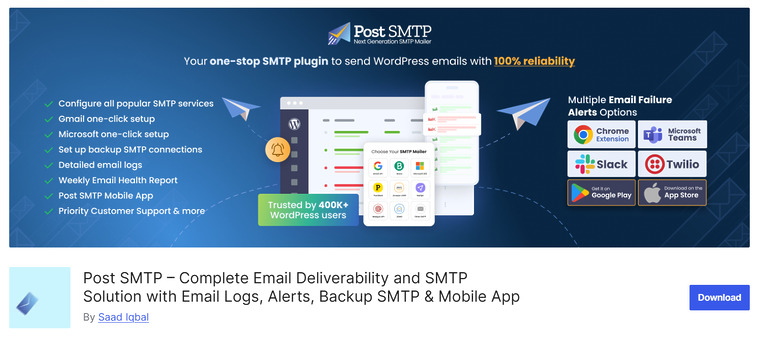
Post SMTP is a WordPress email routing plugin designed to replace the default PHP mail function with a more reliable SMTP delivery method. It offers advanced debugging and diagnostic tools that help you identify and fix email delivery issues quickly.
The plugin supports a wide range of mailers, including Gmail, Outlook, SendGrid, Mailgun, and other custom SMTP services, giving you flexibility in choosing how your site email is sent. Post SMTP also maintains detailed logs and provides real-time connection tests to ensure your configuration is working as expected.
Its setup wizard guides even less-technical users through the initial configuration, while the powerful debugging interface appeals to developers and site administrators who need more control and transparency over email routing.
Features
- Supports multiple SMTP and API email providers
- Detailed logs with delivery status and debug info
- Connection testing and error reporting
- Setup wizard for easy configuration
- Compatibility with contact forms and WooCommerce
Pros
- Excellent diagnostic and troubleshooting tools
- Works with a variety of SMTP providers
- Detailed email logs for visibility
Cons
- Settings can be overwhelming for beginners
- UI feels more technical than some alternatives
Pricing
Post SMTP is a freemium plugin. You can get the free version plugin from the repository. The premium version will cost you $59.99 a year.
4. YaySMTP

YaySMTP is one of the lightweight WP Mail SMTP alternatives designed to improve email deliverability by routing WordPress emails through trusted SMTP and transactional email services. It replaces PHP mail with authenticated SMTP sending, helping prevent messages from landing in spam folders.
The plugin focuses on ease of setup while still offering flexibility for different mail providers, making it suitable for both beginners and site owners managing business or eCommerce sites.
YaySMTP integrates smoothly with common WordPress plugins, including contact forms, WooCommerce, and membership systems, to ensure important notifications and customer emails are delivered reliably.
It also provides basic logging and testing tools to confirm that emails are sent correctly. Overall, YaySMTP aims to deliver stable transactional email performance without overwhelming users with complex configurations.
Features
- SMTP configuration with support for major email providers
- Secure authentication (SSL/TLS) for outgoing emails
- Test email tool to verify setup
- Email logging for basic troubleshooting
- Compatible with popular form and eCommerce plugins
Pros
- Simple and clean setup process
- Reliable transactional email delivery
- Works well with WooCommerce and contact forms
- Lightweight and performance-friendly
Cons
- Advanced features require the premium version
Pricing
YaySMTP is a freemium plugin. From the repository, you can get the Lite version plugin. The premium version starts at $49 a year.
5. SMTP Mailer

SMTP Mailer is a straightforward WordPress plugin that improves email deliverability by sending messages through an external SMTP server rather than the default PHP mail function.
It is built for users who want a simple, no-frills way to configure SMTP settings without dealing with complex dashboards or advanced routing rules. The plugin supports popular email providers such as Gmail and Outlook, as well as custom SMTP servers, making it flexible across different hosting environments.
SMTP Mailer integrates seamlessly with core WordPress emails and common plugins such as contact forms and WooCommerce, ensuring that notifications, password resets, and order emails are delivered consistently.
With its minimal interface and essential tools, SMTP Mailer is well-suited for small websites and blogs that need reliable email sending with minimal setup. It is one of the best WP Mail SMTP alternatives.
Features
- SMTP configuration for external mail servers
- Support for SSL and TLS encryption
- Test email option to validate settings
- Compatible with common WordPress plugins
- Lightweight and easy-to-use interface
Pros
- Very simple setup process
- Improves basic email deliverability
- Works with most SMTP providers
- Minimal performance impact
Cons
- Lacks advanced routing or failover options
- No detailed email logs or analytics
Pricing
SMTP Mailer is a free WordPress plugin.
6. Gmail SMTP

Gmail SMTP is a WordPress plugin that allows you to send all site emails through your Gmail or Google Workspace account instead of the default PHP mail function.
By leveraging Google’s trusted email infrastructure, this plugin helps improve delivery rates and prevents emails from being marked as spam.
It uses the secure Gmail API or traditional SMTP credentials to authenticate your site email, ensuring messages like contact form submissions, registration confirmations, and password resets arrive reliably in inboxes.
The setup process walks you through creating the necessary credentials in the Google Cloud Console, which can be slightly technical but offers robust security.
Because it sends mail through a familiar provider, many businesses trust this plugin to handle important notifications without relying on external SMTP services.
Features
- Sends WordPress emails via Gmail or Google Workspace
- Secure authentication using Gmail API or SMTP
- Improves deliverability using Google’s mail servers
- Works with contact forms and WooCommerce emails
- Test email functionality within the dashboard
Pros
- Leverages Google’s reliable mail infrastructure
- No third-party SMTP service required
- Good for sites already using Gmail/Workspace
Cons
- Setup requires creating API credentials
- Gmail sending limits may be restrictive for high volume
Pricing
Free plugin with no premium version; usage is limited by Gmail/Workspace account limits.
7. WP Offload SES Lite

WP Offload SES Lite is a lightweight WordPress SMTP alternative built specifically for sending emails through Amazon SES, making it a strong choice for websites that rely heavily on transactional emails. It is one of the good WP Mail SMTP alternatives.
Instead of using the default PHP mail function, it connects WordPress directly to Amazon’s highly reliable email infrastructure, significantly improving deliverability and reducing the likelihood of messages being flagged as spam.
The plugin focuses on simplicity, offering a clean setup process with minimal configuration once your Amazon SES credentials are added. It is especially useful for WooCommerce stores and membership sites that send order confirmations, password resets, and account notifications.
While the Lite version covers essential needs, advanced features like detailed email logs and priority support are available in the premium edition.
Features
- Direct integration with Amazon SES
- Improved deliverability for transactional emails
- Simple and minimal configuration
- Supports WordPress and WooCommerce emails
- Optimized for performance and reliability
Pros
- Excellent deliverability using Amazon SES
- Lightweight and fast
- Ideal for high-volume transactional emails
- Easy setup for AWS users
Cons
- Works only with Amazon SES
- Limited features in the Lite version
- Requires an AWS account and configuration
Pricing
Free plugin. A premium version is available, with plans starting at around $80 per year.
Frequently Asked Questions
Now, let’s take a look at some frequently asked questions and answers about this topic.
What is an SMTP plugin, and why do I need one?
An SMTP plugin helps WordPress send emails via a proper mail server rather than the default PHP mail function. This improves email deliverability and reduces the likelihood that your messages end up in spam. It is especially useful for password reset emails, order confirmations, and contact form notifications.
How are SMTP plugins different from WP Mail SMTP?
SMTP plugins work similarly by routing WordPress emails through external mail servers, but many alternatives offer different features, interfaces, and integrations. Some focus on simplicity, while others provide advanced logging, debugging tools, or support for multiple mailers.
Do I need an external email service to use an SMTP plugin?
Yes, most SMTP plugins require connecting to an external email service, such as Gmail, Outlook, Amazon SES, or another SMTP provider. The plugin acts as a bridge between WordPress and that service to ensure reliable email delivery.
Are SMTP plugins safe to use with login credentials?
Reputable SMTP plugins store credentials securely and often support modern authentication methods like OAuth or API keys. It is still recommended to use app passwords or API-based authentication instead of your main email password for better security.
Will an SMTP plugin fix all email deliverability issues?
An SMTP plugin greatly improves email reliability, but it does not guarantee 100% inbox placement. Proper DNS settings such as SPF, DKIM, and DMARC also play an important role in deliverability, along with your email provider’s reputation.
Can I use one SMTP plugin for multiple websites?
Each WordPress site needs its own SMTP plugin configuration. However, you can use the same email service account across multiple sites if your provider allows it, as long as you configure each site separately.
Which SMTP plugin is best for beginners?
Beginner-friendly SMTP plugins usually offer a simple setup wizard and minimal configuration steps. These are ideal for small websites or blogs that only need basic email delivery without advanced logging or complex mail routing options.
Conclusion
Choosing the right SMTP plugin depends on what you need most from your WordPress email setup. If you want a simple and lightweight solution, Easy WP SMTP or SMTP Mailer are good picks for basic configuration without complexity.
For users who need advanced controls, email logging, and support for multiple mailers, FluentSMTP and Post SMTP offer greater flexibility and detailed diagnostics.
If your site relies heavily on transactional emails such as order confirmations, password resets, and form notifications, YaySMTP is a strong option thanks to its focus on reliable delivery and clean setup.
Meanwhile, WP Offload SES Lite is ideal if you plan to use Amazon SES for large-scale or high-volume sending.
Overall, each plugin on this list improves deliverability compared to the default WordPress mail, so the best choice comes down to your technical comfort level and email volume requirements.
Which plugin are you going to use?
Let us know in the comments.