Do you want to install GP Premium on your website? If you are looking for a simple guide, read on.
Installing GP Premium is the first step toward unlocking the full power of the GeneratePress Premium theme.

While the free version is lightweight and reliable, GP Premium adds advanced customization options that help you build flexible layouts, improve user experience, and manage your site more efficiently.
From access to the site library and premium modules to better control over headers, footers, and typography, GP Premium is designed for site owners who want more freedom without sacrificing performance.
In this guide, you will learn how to install and activate GP Premium correctly on your WordPress site.
Without any further ado, let’s get into the tutorial.
You can easily install GP Premium with no hassle. The first step is to install the GeneratePress theme on your website.
Step 1: Install GeneratePress
If you are already using GeneratePress, you can skip this step. On the other hand, if you are not using GeneratePress, you need to install it from the WordPress repository.
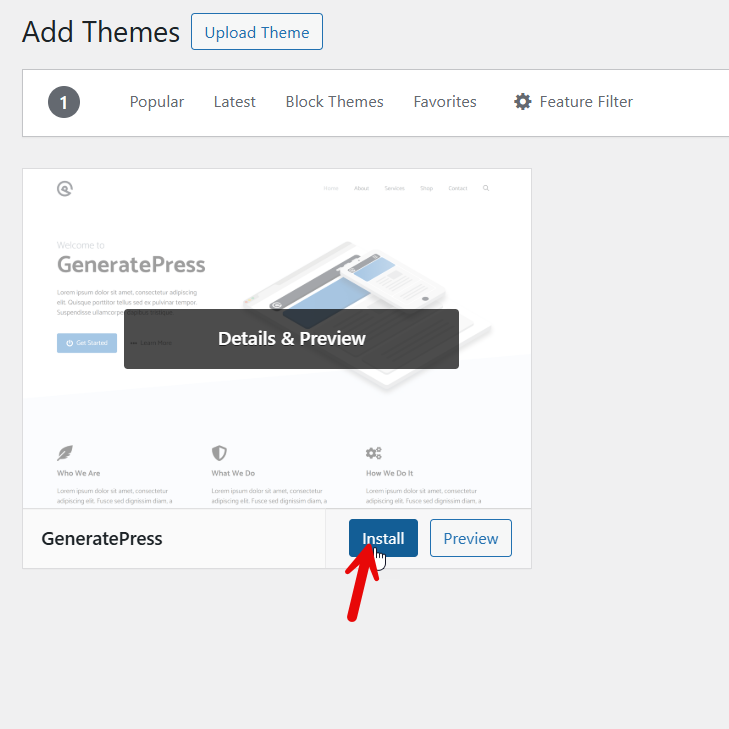
After installation, activate it.
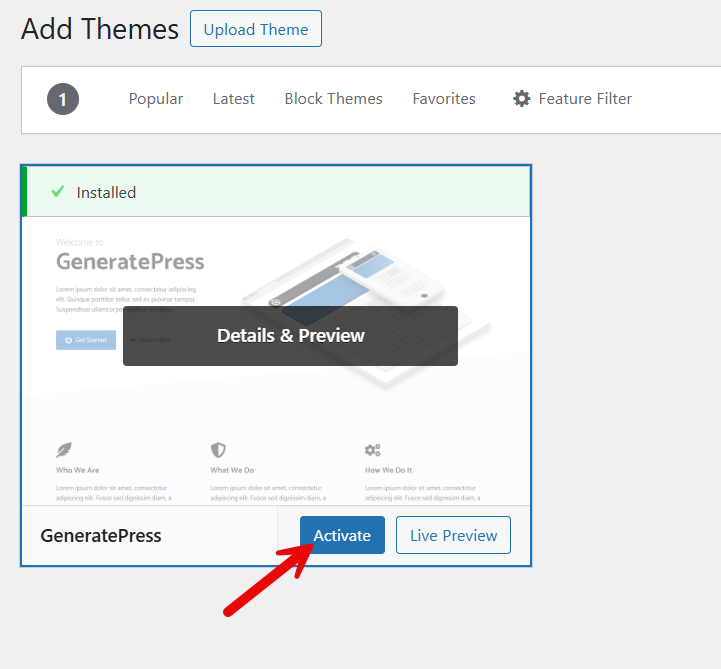
Now move to the next step.
Now it is time to purchase the premium version of GeneratePress. Go to the GeneratePress website, visit the pricing page, and select a subscription plan.

Next, you can create a GeneratePress account and complete payment with your credit card.
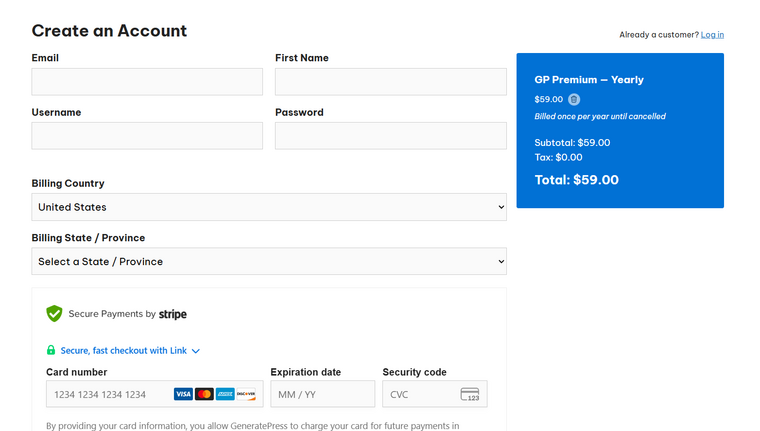
Once you have purchased the GP Premium from their official website, you can log in to your account and download the premium plugin from there.

Save the plugin file to your local storage.
Now, go to the Add New Plugins section and upload the GP Premium plugin file you downloaded.
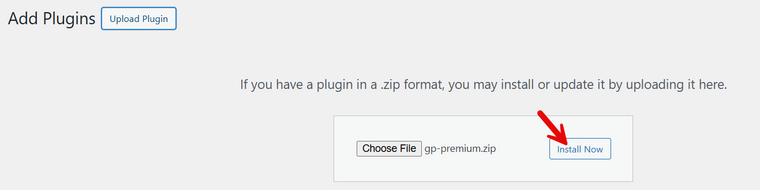
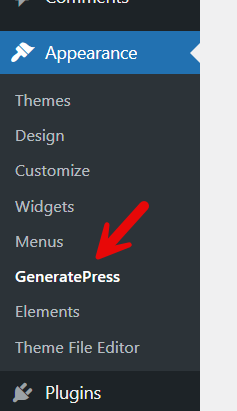
Activate it after installation. Once you have completed it, you can see the plugin’s settings under Appearance.
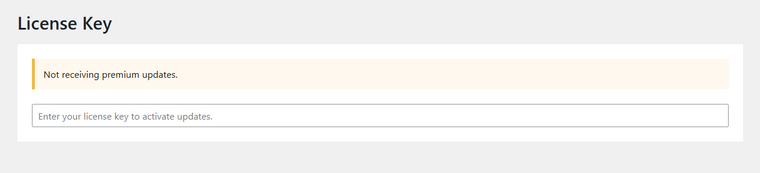
To receive updates, you need to verify your license key.
Now, you have access to all the modules. You can activate the ones you need and continue customizing the website.
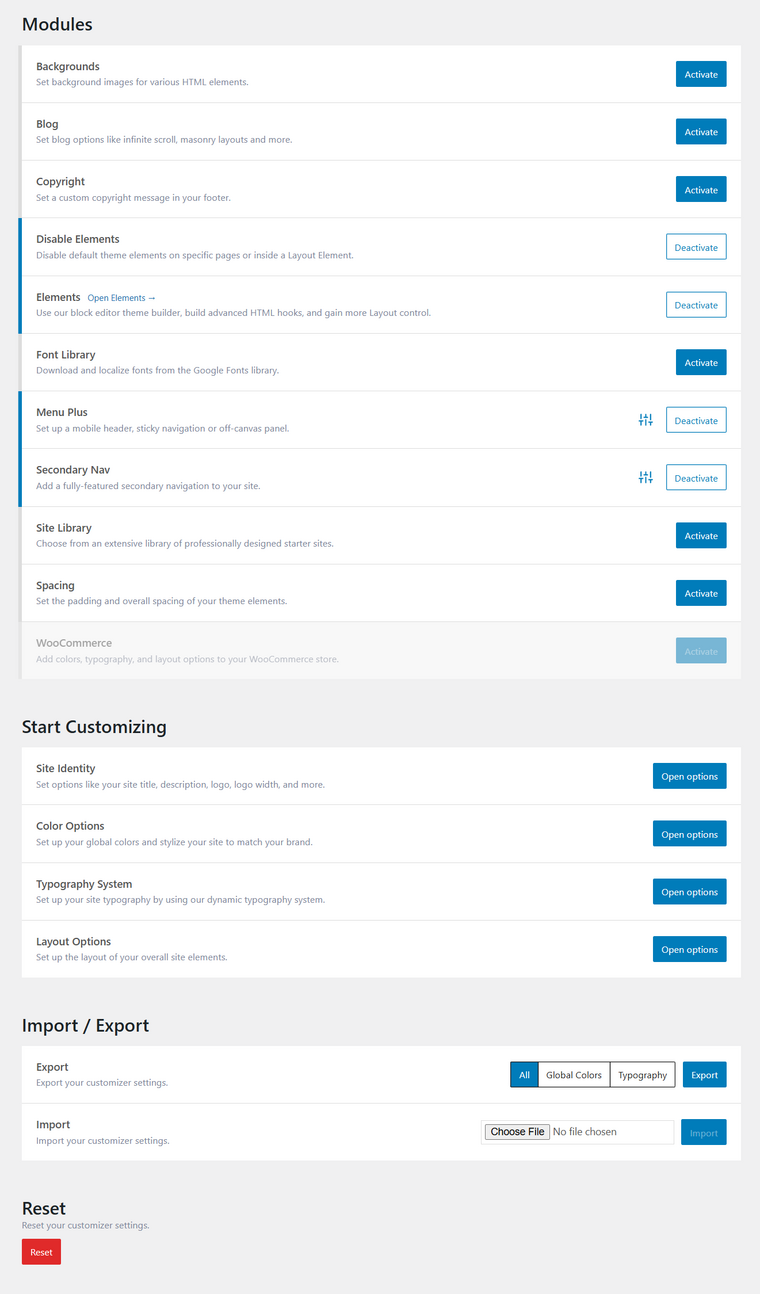
That’s it!
This is how you can install GP Premium on a WordPress website.
Frequently Asked Questions
Now, let’s see some frequently asked questions and answers regarding the topic.
GP Premium, also known as GeneratePress Premium, is an add on plugin that extends the free GeneratePress theme. It unlocks advanced customization options such as the Site Library, Header Builder, Footer Builder, Custom Hooks, Advanced Typography, and Responsive Design controls.
The free theme is lightweight and stable, but GP Premium gives site owners full control over layout, styling, and site customization.
You install GP Premium from the WordPress admin dashboard under the plugins section. Since it is a premium plugin, it is uploaded as a .zip file using the plugin installer. After activation, the GeneratePress Premium theme features become available inside the GeneratePress settings area.
Yes, you need a valid license key, also called a support key or GP ONE license key, to receive updates and premium forum support. The license key is added from your GeneratePress account after purchase. Without activation, the plugin still works, but you will not receive product updates or pro support.
GP Premium works well with popular page builders such as Beaver Builder and supports block-based workflows, including GenerateBlocks Pro. It is also compatible with performance plugins such as WP Rocket and does not conflict with most WordPress plugins in the WordPress directory or library.
What is the Site Library and how does it help during setup?
The Site Library allows you to import demo content into your WordPress site with a few clicks. This helps site owners quickly build layouts for blogs, online stores, or business websites. Imported demo content includes stylesheet settings and layout structure that can later be customized based on your website skills and user experience goals.
GeneratePress Premium follows WordPress coding standards and does not execute unsafe SQL command logic or malformed data. It is not a security service or security solution, but it works well with services like Cloudflare. Avoid using GP Premium nulled versions, as they increase the risk of online attacks and can expose your site to issues such as Cloudflare Ray ID errors.
GeneratePress offers a single year license and a lifetime plan, both supporting unlimited sites. Each plan includes premium forum support, access to updates, and full use of modules like Menu Plus, secondary nav options, and advanced site customization tools. License details and renewal information can be found at the bottom of this page in your GeneratePress login area.
Conclusion
Installing GP Premium is a straightforward way to unlock the full potential of the GeneratePress theme.
Once activated, it provides site owners with powerful customization options, flexible layout controls, and performance-friendly features that work well across different WordPress sites.
From importing demo content through the site library to managing headers, footers, and navigation layouts, GP Premium makes site customization easier without adding unnecessary complexity. As long as you install it from a trusted source and activate your license key, you also receive regular updates and reliable support.
For anyone serious about building fast, flexible, and scalable websites with GeneratePress, GP Premium is a practical long-term investment.
How would you customize your GeneratePress website?
Let us know in the comments.