Are you looking for the best Elementor add-on WordPress plugins? If you are, keep reading this post. Here, we will show you seven of the best options.
Designing pages with Elementor becomes much easier when you extend its capabilities with powerful add-on plugins. While Elementor already includes many useful widgets and layout tools, advanced page designs often require additional elements, styling options, and dynamic features.

This is where Elementor add-on WordPress plugins become valuable. These plugins expand Elementor by adding new widgets, design blocks, templates, animations, and advanced customization options. With the right add-on, you can build more interactive pages, create unique layouts, and improve your overall website design workflow.
In this guide, we will explore the best Elementor add-on WordPress plugins that help you unlock more design possibilities and create professional pages without writing custom code.
First, let’s see what Elementor add-ons are and why to use them.
What Are Elementor Add-on WordPress Plugins
Elementor add-ons for WordPress are extensions that expand the functionality of the Elementor page builder. While Elementor already provides a wide range of widgets and design tools, add-on plugins introduce additional elements, advanced styling controls, and ready-made templates that help users build more sophisticated page layouts.
These plugins typically add new widgets such as advanced sliders, pricing tables, content toggles, image galleries, and interactive elements. Many Elementor add-ons also provide extra customization settings, animations, and responsive design controls that are not available in the core plugin.
By using Elementor add-on plugins, designers and site owners can create more dynamic and visually appealing pages without writing custom CSS or code. They are especially useful for building landing pages, portfolios, online stores, and marketing-focused website layouts.
What to Look for In Elementor Add-on WordPress Plugins
Choosing the right Elementor add-on plugin helps you extend design capabilities without slowing down your website.
- Widget Variety – Look for plugins that offer a wide range of widgets, including advanced galleries, sliders, pricing tables, testimonials, and interactive elements.
- Performance Optimization – The plugin should load assets only when needed, so it does not negatively impact your website speed.
- Customization Options – Good add-ons provide flexible styling controls, responsive settings, and layout adjustments directly inside the Elementor editor.
- Compatibility and Updates – The plugin should be actively maintained and fully compatible with the latest versions of WordPress and Elementor.
- Template and Design Blocks – Some add-ons include ready-made templates, sections, or blocks that help you build pages faster without starting from scratch.
Best 7 Elementor Add-on WordPress Plugins
| Plugin | Free Version | Number of Widgets | Template Library | WooCommerce Widgets | Performance Controls | Best For |
|---|---|---|---|---|---|---|
| Royal Addons for Elementor | Yes | 90+ | Yes | Yes | Yes | Large widget collection and design flexibility |
| Unlimited Elements For Elementor | Yes | 100+ | Yes | Yes | Yes | Extensive widget library and advanced customization |
| ElementsKit Elementor Addons | Yes | 85+ | Yes | Yes | Yes | Complete toolkit with header and footer builder |
| Essential Addons for Elementor | Yes | 90+ | Yes | Yes | Yes | Lightweight add-ons with many design elements |
| Premium Addons for Elementor | Yes | 70+ | Yes | Yes | Yes | Performance-focused widgets and animations |
| Ultimate Addons for Elementor | Yes | 40+ | Yes | Yes | Yes | Stable and well-optimized Elementor extensions |
| Happy Addons for Elementor | Yes | 100+ | Yes | Yes | Yes | Creative widgets and ready-made designs |
Now let’s take a look at each option below.
1. Royal Addons for Elementor
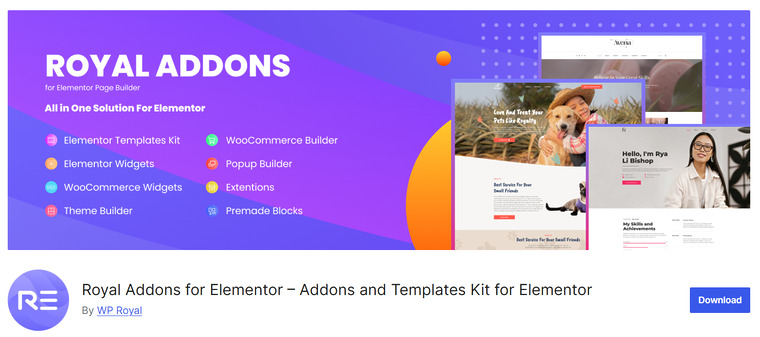
Royal Addons for Elementor is a feature-rich extension that expands the design capabilities of the Elementor page builder with a wide collection of widgets, templates, and customization tools. It includes a wide variety of elements, such as advanced sliders, content boxes, image galleries, pricing tables, and interactive components, to help create dynamic page layouts.
The plugin also offers ready-made templates and section blocks that allow users to build professional pages faster without starting from scratch. Royal Addons is designed with performance in mind and lets users enable or disable widgets to keep their website lightweight.
With flexible styling controls and strong compatibility with Elementor themes, it is suitable for both beginners and experienced designers.
Features
- Large library of Elementor widgets
- Ready-made templates and section blocks
- Advanced styling and animation options
- Widget enables or disables controls for performance
- WooCommerce-compatible widgets
Pros
- Wide range of design elements
- Flexible customization settings
- Beginner-friendly interface
- Good performance controls
Cons
- Some advanced widgets are premium only
- A large widget library may feel overwhelming for new users
Pricing
Free version available. Premium plans start at $29.99 per year for a single website.
2. Unlimited Elements For Elementor
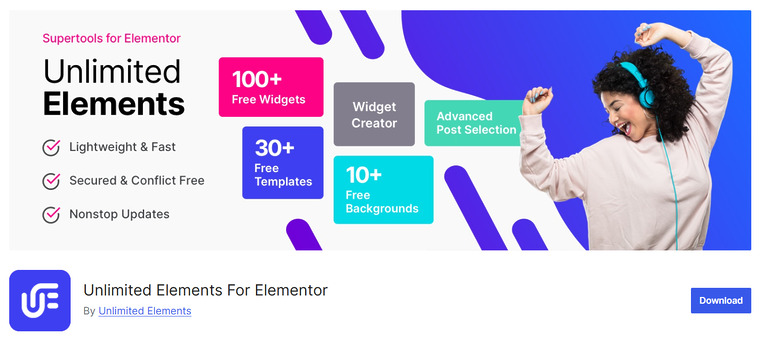
Unlimited Elements for Elementor is a comprehensive add-on that enhances the Elementor page builder with a large collection of additional widgets and design tools. It provides a wide variety of elements that help users build interactive sections, advanced layouts, and feature-rich pages without writing custom code.
One of its standout capabilities is the widget builder, which enables developers and advanced users to create custom Elementor widgets. The plugin also supports dynamic content and advanced query controls, making it useful for blogs, portfolios, and content-heavy websites.
Users can enable only the widgets they need, which helps maintain good website performance. With its extensive widget library and flexible customization options, Unlimited Elements is suitable for both beginners and experienced WordPress designers.
Features
- Large library of Elementor widgets
- Custom widget builder for creating new elements
- Dynamic content and advanced query support
- Option to enable or disable widgets
- WooCommerce-compatible widgets
Pros
- Extensive widget collection
- Supports custom widget creation
- Flexible design controls
- Works with most WordPress themes
Cons
- A large number of widgets may feel overwhelming
- Some advanced widgets require the premium version
Pricing
Free version available. Premium plans start at $49 per year for a single site license.
3. ElementsKit Elementor Addons
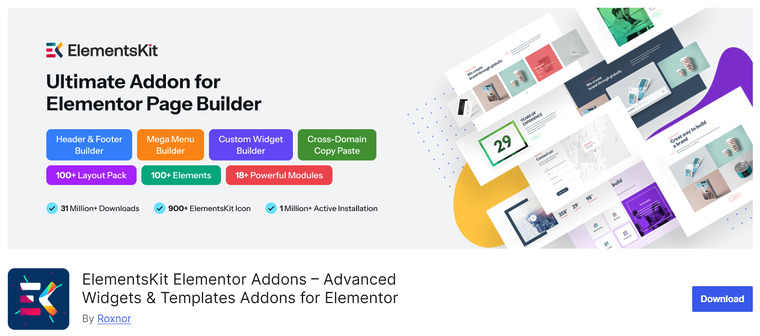
ElementsKit Elementor Addons is a comprehensive toolkit that expands the Elementor page builder with a wide range of widgets, templates, and advanced customization tools. It provides additional elements that help users design modern layouts, interactive sections, and feature-rich pages without coding.
One of its standout capabilities is the built-in header and footer builder, which lets you design custom navigation areas directly in Elementor. The plugin also includes a mega menu builder, WooCommerce widgets, and a large library of ready-made templates and section blocks.
With modular controls, users can enable or disable widgets to keep their website optimized. ElementsKit is suitable for designers and developers seeking an all-in-one Elementor extension for building flexible, dynamic websites.
Features
- Large collection of Elementor widgets
- Built-in header and footer builder
- Mega menu builder for advanced navigation
- Ready-made templates and section blocks
- WooCommerce-compatible widgets
Pros
- All-in-one toolkit for Elementor websites
- Large widget and template library
- Flexible layout and navigation builders
- Works with most WordPress themes
Cons
- Some advanced modules require the premium version
- A large feature set may take time to explore
Pricing
Free version available. Premium plans start at $39.20 per year for a single site license.
4. Essential Addons for Elementor
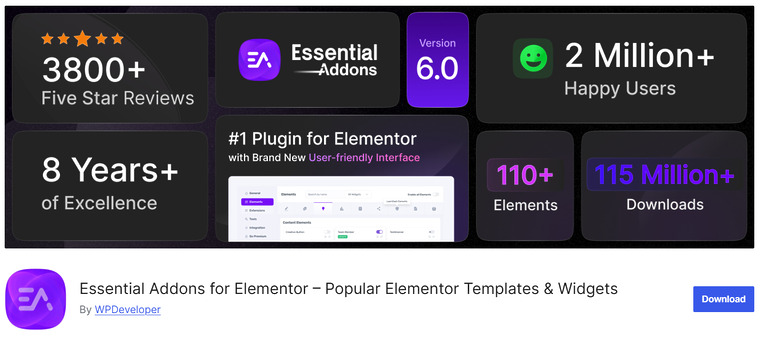
Essential Addons for Elementor is a widely used extension that expands the Elementor page builder with a large collection of additional widgets and design elements. It helps users create more dynamic page layouts, interactive sections, and professional-looking content without needing custom code.
The plugin includes elements such as advanced galleries, pricing tables, testimonials, content timelines, and animated sections that enhance page design. It also provides modular controls that allow users to enable or disable widgets based on their needs, helping maintain better website performance.
Essential Addons works with both the free and pro versions of Elementor and integrates well with most WordPress themes. Its extensive widget library and flexible styling options make it suitable for landing pages, business websites, portfolios, and blogs.
Features
- Large library of Elementor widgets
- Ready-made templates and content blocks
- Modular controls to enable or disable widgets
- Advanced styling and animation options
- WooCommerce-compatible widgets
Pros
- Extensive widget collection
- Easy-to-use interface
- Flexible customization settings
- Works well with most WordPress themes
Cons
- Some advanced widgets require the premium version
- A large widget library may take time to explore
Pricing
Free version available. Premium plans start at $47.99 per year for a single site license.
Premium Addons for Elementor is a lightweight extension that enhances the Elementor page builder with a collection of creative widgets and advanced customization tools. It focuses on performance while still offering powerful design elements to help users build modern, interactive pages.
The plugin includes widgets such as advanced image galleries, content boxes, pricing tables, banners, and animated sections that improve page presentation. It also offers flexible styling options and responsive controls, allowing designers to customize layouts for different devices directly within the Elementor editor.
Premium Addons is designed to work smoothly with both free and pro versions of Elementor and supports most WordPress themes. Its balance between performance and design flexibility makes it a good choice for creating visually engaging pages without slowing down a website.
Features
- Wide range of Elementor widgets
- Advanced styling and animation options
- Responsive design controls
- Modular settings to enable or disable widgets
- WooCommerce compatible elements
Pros
- Performance-focused design
- Clean and user-friendly interface
- Flexible layout customization
- Works with most Elementor themes
Cons
- Some advanced widgets require the premium version
- Fewer widgets compared to some larger add-on libraries
Pricing
Free version available. Premium plans start at $44 per year for a single site license.
6. Ultimate Addons for Elementor
Ultimate Addons for Elementor is a good extension that adds advanced widgets and design elements to the Elementor page builder. Developed with performance and stability in mind, it focuses on providing well-optimized widgets that integrate smoothly into the Elementor editor.
The plugin includes elements such as advanced headings, infoboxes, marketing buttons, timelines, and interactive content modules that help create professional page layouts. It also provides flexible styling controls and responsive settings so users can easily adjust designs for different screen sizes.
Ultimate Addons is built to work seamlessly with both Elementor Free and Elementor Pro, and it is compatible with most WordPress themes. With its stable performance and polished design elements, it is a solid option for building business websites, landing pages, and marketing-focused layouts.
Features
- Collection of advanced Elementor widgets
- Flexible styling and responsive design controls
- Lightweight and performance-optimized modules
- Marketing and conversion-focused design elements
- WooCommerce-compatible widgets
Pros
- Stable and well-optimized widgets
- Clean integration with Elementor editor
- Reliable performance for professional websites
- Good selection of marketing elements
Cons
- Smaller widget library compared to some competitors
Pricing
Freemium plugin with plans starting at $69 per year for a single site license.
7. Happy Addons for Elementor
Happy Addons for Elementor is a creative extension that expands the Elementor page builder with additional widgets, design features, and ready-made templates. It is designed to help users build visually appealing pages with interactive elements and flexible customization options.
The plugin includes a variety of widgets such as advanced tabs, image grids, content toggles, and animated sections that allow designers to create engaging layouts without coding. Happy Addons also introduces useful tools like cross-domain copy and paste, which let users easily copy Elementor sections from one website to another.
With responsive design controls and modular widget management, users can keep their websites optimized while still accessing a large set of design elements. It works with both free and pro versions of Elementor and supports most WordPress themes.
Features
- Large collection of Elementor widgets
- Cross-domain copy-paste feature
- Ready-made templates and layout blocks
- Responsive design customization options
- WooCommerce-compatible widgets
Pros
- Creative and flexible design elements
- Unique productivity tools like cross-site copy and paste
- Easy-to-use interface
- Works with most WordPress themes
Cons
- Some advanced widgets require the premium version
- A large widget library may take time to explore
Pricing
Free version available. Premium plans start at $39 per year for a single site license.
Frequently Asked Questions
Now, let’s take a look at some frequently asked questions and answers about this topic.
What are Elementor add-on plugins used for?
Elementor add-on plugins extend the functionality of the Elementor page builder by adding new widgets, design elements, templates, and advanced styling options. They help users create more complex, visually appealing pages without writing custom code.
Do Elementor add-on plugins slow down a website?
Well-built add-on plugins are optimized for performance and often include options to enable or disable widgets you are not using. Choosing lightweight plugins and only activating necessary features helps maintain good website speed.
Can I use multiple Elementor add-on plugins at the same time?
Yes, you can use multiple Elementor add-ons together. However, installing too many plugins with similar widgets may increase page load time or create duplicate features, so it is better to choose one or two comprehensive add-ons.
Are Elementor add-on plugins compatible with most WordPress themes?
Most Elementor add-ons are designed to work with any theme that supports Elementor. As long as your theme is built following WordPress standards, compatibility issues are usually minimal.
Do Elementor add-ons work with WooCommerce websites?
Many Elementor add-on plugins include special WooCommerce widgets such as product grids, product carousels, and pricing layouts. These widgets help store owners design custom products and shop pages.
Do I need coding knowledge to use Elementor add-on plugins?
No coding knowledge is required for most Elementor add-ons. They are designed with drag-and-drop controls and visual customization options that allow users to design pages directly in the Elementor editor.
Are there free Elementor add-on plugins available?
Yes, many Elementor add-on plugins offer free versions through the WordPress plugin directory. These free versions usually include essential widgets, while premium versions provide more advanced elements and design features.
Conclusion
Elementor add-on plugins can significantly expand what you can design with the page builder, so the right choice depends on the features your website needs most. Royal Addons for Elementor is a strong option if you want a large collection of widgets and flexible design controls.
Unlimited Elements for Elementor is well-suited to users who want an extensive widget library and deeper customization options. If you need an all-in-one toolkit with additional tools like header and footer builders, ElementsKit Elementor Addons is a reliable choice.
Essential Addons for Elementor is popular for its balance of features and performance, while Premium Addons for Elementor focuses on lightweight widgets and smooth animations. For stability and long-term reliability, Ultimate Addons for Elementor stands out.
Meanwhile, Happy Addons for Elementor is great for creative layouts and ready-made design elements.
Which plugin are you going to use?
Let us know in the comments.