Are you looking for the best LiteSpeed Cache alternatives? If you are, keep reading this article. Here, we will show you the top 7 caching plugins you can use instead og LiteSpeed Cache.
Website speed plays a critical role in user experience, search rankings, and conversions. While LiteSpeed Cache is a powerful solution for servers running LiteSpeed, it isn’t always the right fit for every WordPress setup.

Hosting limitations, configuration complexity, or specific optimization needs often prompt site owners to seek more flexible caching solutions.
Fortunately, several high-performance WordPress caching plugins can deliver excellent page-load improvements without requiring LiteSpeed servers.
In this guide, we explore the best LiteSpeed Cache alternatives that help you achieve faster loading times, smoother performance, and a better overall experience for your visitors.
First, let’s see what LiteSpeed Cache is and what it offers.
LiteSpeed Cache: An Introduction
LiteSpeed Cache is a performance optimization plugin built specifically for websites running on LiteSpeed Web Server. It combines server-level caching with WordPress-side optimizations to deliver faster page loads and reduced server load.
The plugin offers features such as full-page caching, browser caching, object caching, and database optimization, along with tools for CSS and JavaScript minification. It also includes image optimization, lazy loading, and CDN integration to further improve front-end performance.
Because it works directly within the LiteSpeed server environment, it can achieve excellent performance with minimal configuration.
However, its strongest features are tied to LiteSpeed hosting, which is why many WordPress users on other server setups look for alternative caching plugins that offer broader compatibility and simpler configuration.
What to Look for In a WordPress Cache Plugin
Choosing the right cache plugin is essential for improving load times without breaking site functionality or creating maintenance issues.
- Ease of setup: The plugin should offer simple configuration options that let you enable caching and basic optimizations without advanced technical knowledge.
- Caching methods: Look for support for page caching, browser caching, and object caching to reduce server load and speed up repeat visits.
- Optimization features: Built-in tools for file minification, lazy loading, and image optimization help reduce page size and improve performance.
- Compatibility: The cache plugin should work smoothly with your theme, page builder, and major plugins like WooCommerce without causing conflicts.
- Performance impact: A good cache plugin should speed up your site without consuming excessive server resources or creating heavy background processes.
Best 7 LiteSpeed Cache Alternatives to Try
| Plugin | Ease of Use | Key Features | Pros | Cons | Author Rating |
|---|---|---|---|---|---|
| FlyingPress | Easy | Page caching, CSS/JS optimization, lazy loading, CDN support | Excellent performance, clean UI | No free version | 4.6/5 |
| WP Rocket | Very easy | Page caching, minification, preload, CDN integration | Beginner-friendly, strong results | No free version | 4.7/5 |
| W3 Total Cache | Moderate | Page cache, object cache, database cache, CDN support | Very powerful and flexible | Complex setup for beginners | 4.2/5 |
| WP Super Cache | Easy | Static page caching, preload mode, CDN support | Free and reliable | Limited optimization features | 4.0/5 |
| WP Fastest Cache | Easy | Page cache, minification, GZIP, browser caching | Simple setup, good free version | Advanced features are locked in the premium | 4.3/5 |
| Breeze | Easy | Page caching, file optimization, CDN integration | Lightweight and hosting-friendly | Fewer advanced controls | 4.1/5 |
| NitroPack | Very easy | Server-level caching, image optimization, CDN | Minimal setup, strong speed gains | Expensive at scale, cloud-based | 4.4/5 |
Let’s take a look at each option below.
1. FlyingPress
FlyingPress is a premium WordPress caching and performance optimization plugin built for users who want faster load times without complex configuration.
It focuses on simplicity while still delivering powerful optimization features, including page caching, CSS and JavaScript optimization, and lazy loading. Unlike server-dependent cache solutions, FlyingPress works across most hosting environments and integrates smoothly with popular themes and page builders.
The plugin also pairs well with CDNs and image optimization tools, helping reduce page size and server load. Its clean interface and sensible defaults make it suitable for beginners, while its advanced controls allow experienced users to fine-tune performance.
Overall, FlyingPress is a strong LiteSpeed Cache alternative for websites that want speed improvements with minimal setup effort.
Features
- Page caching with automatic cache clearing
- CSS and JavaScript minification and delayed loading
- Lazy loading for images and iframes
- Preload cache for faster first visits
- CDN integration support
Pros
- Very easy to configure
- Noticeable performance improvements
- Clean and modern interface
Cons
- No free version available
Pricing
Premium plugin only, with plans starting at around $59 per year.
2. WP Rocket

WP Rocket is a popular premium WordPress caching plugin known for delivering strong performance gains with minimal setup. It is designed for users who want faster page loads without having to deal with complex technical settings.
The plugin automatically applies key optimizations after activation, including page caching and basic file optimization, making it especially appealing to beginners and business site owners.
WP Rocket also includes tools to reduce page size and improve rendering speed, helping websites load faster for both desktop and mobile visitors.
It works well across different hosting environments and integrates smoothly with most themes and plugins. Because of its balance between ease of use and powerful optimization features, WP Rocket is often chosen as a direct alternative to LiteSpeed Cache for non-LiteSpeed servers.
Features
- Automatic page caching
- CSS and JavaScript minification
- Cache preloading
- Lazy loading for images
- CDN integration support
Pros
- Very beginner-friendly
- Strong performance improvements
- Works well on most hosting setups
Cons
- No free version available
Pricing
Premium plugin only, with plans starting at around $59 per year.
3. W3 Total Cache
W3 Total Cache is a powerful WordPress performance plugin designed for users who want detailed control over how their site handles caching and optimization.
It supports multiple caching methods, including page cache, object cache, and database cache, which helps reduce server load and improve response times.
The plugin also integrates with CDNs and offers file minification to reduce page size and improve delivery speed. Unlike simpler cache plugins, W3 Total Cache offers advanced configuration options that let developers and experienced site owners fine-tune performance based on their hosting environment.
While it can significantly improve load times when configured correctly, its many settings may feel overwhelming for beginners. It is best suited for users who want granular control over site performance. It is one of the best LiteSpeed Cache alternatives.
Features
- Page, object, and database caching
- Browser caching support
- CSS and JavaScript minification
- CDN integration
- Performance monitoring tools
Pros
- Very powerful and flexible
- Works with many hosting environments
- Free version offers extensive features
Cons
- Complex setup for beginners
- The interface can feel cluttered
Pricing
Free plugin available. A premium version is offered, with plans starting at around $99 per year.
4. WP Super Cache
WP Super Cache is a widely used WordPress caching plugin that generates static HTML files from dynamic WordPress pages, reducing server processing and improving load times. Instead of running heavy PHP scripts for every visitor, the plugin serves cached pages to most users, significantly speeding up delivery and reducing server resource usage.
It offers multiple caching modes, allowing users to choose between simple configuration or more advanced setups depending on their technical comfort level. WP Super Cache works well with shared hosting and is compatible with most themes and plugins, including WooCommerce, when properly configured.
While it focuses mainly on page caching rather than on full performance optimization, it remains a reliable option for sites that need a free, proven caching solution. If you are looking for one of the best free LiteSpeed Cache alternatives, choose this one.
Features
- Static HTML page caching
- Preload mode for cached pages
- CDN support
- Cache compression
- Garbage collection for old cache files
Pros
- Completely free to use
- Reliable and well-maintained
- Easy setup with simple mode
Cons
- Limited optimization features beyond caching
- Advanced mode can be confusing for beginners
Pricing
Free plugin with no premium version available.
5. WP Fastest Cache
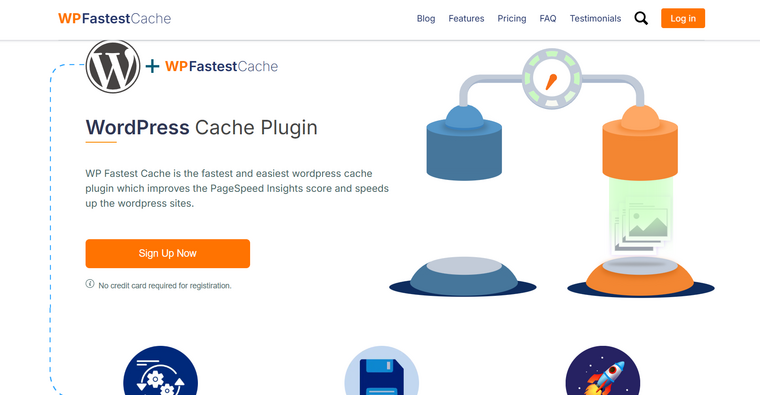
WP Fastest Cache is a popular WordPress caching plugin that improves website speed by generating static HTML files and reducing server load. It focuses on simplicity while still offering useful optimization features such as browser caching, file minification, and GZIP compression.
The plugin is easy to configure, making it suitable for beginners who want quick performance improvements without dealing with complex settings. It also works well with most hosting environments and is compatible with common themes and plugins, including WooCommerce.
While the free version covers essential caching needs, advanced optimization tools are reserved for the premium edition. Overall, WP Fastest Cache is a practical LiteSpeed Cache alternative for users who want a balance between ease of use and performance features.
Features
- Page caching with static HTML generation
- Browser caching support
- CSS and JavaScript minification
- GZIP compression
- Cache timeout and exclusion rules
Pros
- Very easy to set up
- Good performance boost with minimal effort
- Useful free version
Cons
- Advanced features are locked behind a premium
- Limited control compared to developer-focused plugins
Pricing
Freemium plugin. A free version is available, and the premium version starts at around $49 (one-time fee).
6. Breeze

Breeze is a lightweight WordPress cache plugin developed to deliver fast page loads with minimal configuration.
It focuses on essential performance features such as page caching, file optimization, and CDN support, making it a good choice for users who want simple speed improvements without complex setup.
Breeze works well across most hosting environments and is designed to be compatible with popular themes and plugins, including WooCommerce. Its clean interface allows users to enable core optimizations such as browser caching and minification with just a few clicks.
While it does not include as many advanced tuning options as developer-focused cache plugins, Breeze provides reliable performance gains for small to medium-sized websites. Overall, it serves as a practical LiteSpeed Cache alternative for users who want a free, easy-to-manage caching solution.
Features
- Page caching for faster load times
- Browser caching support
- CSS and JavaScript minification
- GZIP compression
- CDN integration
Pros
- Very easy to configure
- Lightweight and stable
- Free to use
Cons
- Limited advanced performance controls
- Fewer optimization features than premium plugins
Pricing
Free plugin. Breeze does not currently offer a premium version.
7. NitroPack
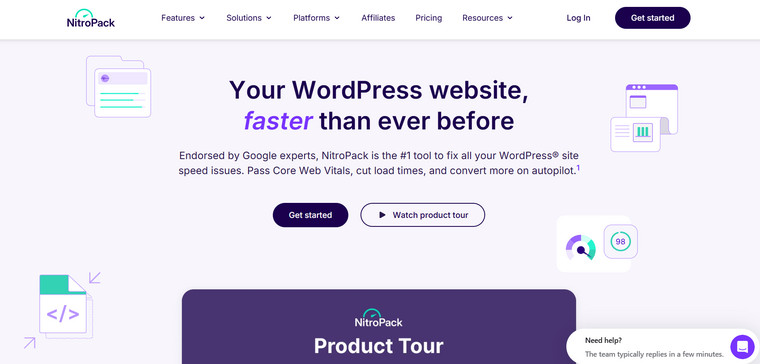
NitroPack is a cloud-based performance optimization plugin that focuses on delivering faster page loads with minimal user effort. Unlike traditional cache plugins that rely entirely on your server, NitroPack processes and optimizes your site through its own cloud infrastructure.
It combines page caching, image optimization, code minification, and CDN delivery into a single system, making it attractive for users who want a hands-off approach to speed optimization. After connecting your site, NitroPack automatically applies recommended settings and starts optimizing pages without requiring complex configuration.
This makes it suitable for site owners who want quick results without managing multiple performance tools. However, because it operates through an external service, its performance and cost depend on traffic volume and plan limits. If money is not an issue, this is one of the good LiteSpeed Cache alternatives.
Features
- Cloud-based page caching and optimization
- Built-in image compression and lazy loading
- CSS and JavaScript minification
- Integrated CDN delivery
- Automatic performance tuning
Pros
- Very easy to set up
- Strong speed improvements with minimal effort
- All-in-one optimization solution
Cons
- Cloud dependency for performance features
- Can become expensive as traffic grows
Pricing
Freemium plugin with a limited free plan. Paid plans start at around $7 per month.
Frequently Asked Questions
Now let’s take a look at some frequently asked questions and answers about this topic.
Do I need an alternative to LiteSpeed Cache if my host doesn’t use LiteSpeed?
Yes. LiteSpeed Cache works best on LiteSpeed servers, and many of its advanced features are limited outside that environment. If your hosting provider uses Apache or Nginx, a different caching plugin can deliver better, more consistent performance.
Most alternatives are designed to work well on shared hosting. They use file-based page caching and basic optimization techniques that reduce server load and improve page speed without requiring special server configurations.
Can I use more than one cache plugin at the same time?
No. Running multiple cache plugins together can cause conflicts and unpredictable behavior. It is best to use only one caching plugin and configure it properly for your site.
Do these alternatives work with WooCommerce sites?
Many LiteSpeed Cache alternatives offer compatibility with WooCommerce and other dynamic plugins. They can exclude the cart and checkout pages from caching to avoid session and user data issues.
Will switching cache plugins break my website?
Switching plugins usually does not break a site, but you should clear old cache files and disable the previous plugin completely before activating a new one. Testing on a staging site is recommended for larger websites.
Premium plugins often offer better automation, cleaner interfaces, and additional optimization features such as preloading and lazy loading. For business or high-traffic sites, the performance gains can justify the cost.
Do LiteSpeed Cache alternatives support CDNs?
Most alternatives support CDN integration either through built-in settings or by working alongside popular CDN services. This helps reduce load times for visitors by serving cached content from locations closer to them.
Conclusion
Choosing the right LiteSpeed Cache alternative depends on how much control and automation you want over your site’s performance. If you prefer a simple configuration with strong results, FlyingPress and WP Rocket are excellent choices for beginners and non-technical users.
For those who want more powerful and customizable caching features, W3 Total Cache offers deep control over page, object, and database caching. If you need a free and reliable solution, WP Super Cache and Breeze are solid options for basic optimization.
WP Fastest Cache works well for users who want a balance between simplicity and additional features through upgrades, while NitroPack is ideal for users who want hands-off optimization with cloud-based performance boosts.
In short, every plugin on this list can improve load times; the best choice depends on your hosting setup, budget, and comfort level with technical tasks.
Which plugin are you going to choose?
Let us know in the comments.