Are you looking for the best Optimole alternatives? If you are, keep reading this article. Here, we will show you 7 of the best plugins for image optimization.
Image optimization plays a major role in website speed, user experience, and search engine performance.

While Optimole is a popular choice for handling image compression and delivery, it is not the only solution available.
Many site owners look for alternatives that offer different pricing models, stronger compression, better CDN integration, or more flexible control over image formats and lazy loading.
In this guide, we explore the best Optimole alternatives for better image optimization, focusing on tools that help reduce file sizes, improve page load times, and maintain visual quality across devices. This list is designed to help you choose a plugin that matches your performance goals and workflow needs.
First, let’s see what Optimole is and what it does.
Optimole: An Introduction
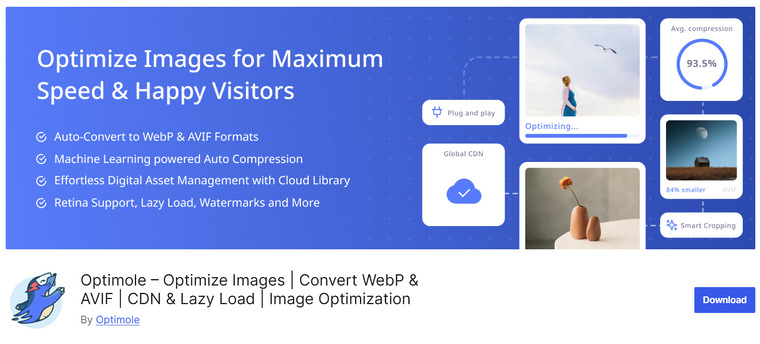
Optimole is a performance-focused image optimization solution that works by processing and delivering images from the cloud instead of your own server.
It automatically adjusts image size and compression based on the visitor’s screen resolution and network conditions, ensuring fast load times with consistent visual quality. The plugin also generates next-gen formats and handles image delivery through a smart CDN, removing the need for manual optimization or bulk compression tasks.
By shifting heavy image processing away from your hosting environment, Optimole helps maintain stable server resources while improving overall front-end performance and user experience.
Now you know what Optimole is. In the next section, we will see what to look for in Optimole alternatives.
What to Look for in Optimole Alternatives
When choosing an alternative to Optimole, focus on features that improve performance without sacrificing image quality. A good image optimization plugin should fit your site’s traffic level, hosting setup, and workflow.
Key factors to consider include:
- Compression quality: The tool should reduce file size while keeping images visually sharp.
- Automatic optimization: Images should be optimized on upload without manual effort.
- CDN support: Built-in CDN delivery helps serve images faster across different locations.
- Next-gen formats: Support for WebP and AVIF improves loading speed on modern browsers.
- Lazy loading: Images should load only when they appear on screen to save bandwidth.
- Bulk optimization: Existing media should be optimized in batches.
- Bandwidth limits: Check monthly usage caps to avoid unexpected restrictions.
- Compatibility: It should work smoothly with your theme, page builder, and caching plugin.
Best 7 Optimole Alternatives You Should Know
In a nutshell, these are the plugins we are going to cover:
- ShortPixel
- Imagify
- Smush
- EWWW Image Optimizer
- reSmush.it
- TinyPNG
- Imsanity
Below, we will cover what makes each plugin unique. So based on your preferences and requirements, you can choose an option.
Without any further ado, let’s get started.
1. ShortPixel
ShortPixel is a powerful WordPress image optimization plugin designed to reduce file sizes without sacrificing visual quality.
It supports multiple compression methods, including lossy, glossy, and lossless modes, giving site owners full control over how aggressively images are optimized. The plugin also converts images to modern formats like WebP and AVIF to improve loading times across devices.
ShortPixel works well with media libraries of all sizes and can bulk-optimize existing images or compress new uploads automatically.
Its integration with popular CDNs and backup option for original images makes it suitable for bloggers, businesses, and performance-focused WordPress users who want faster pages and better Core Web Vitals scores.
Key Features
- Supports lossy, glossy, and lossless compression
- WebP and AVIF image conversion
- Bulk optimization for the existing media library
- Automatic image optimization on upload
- Original image backup and restore option
Pros
- High compression with minimal quality loss
- Supports modern image formats
- Works well with large image libraries
Cons
- A credit-based system may feel limiting
- Advanced features require a paid plan
Pricing
Free plan available; paid plans start at around $8.33 per month.
2. Imagify
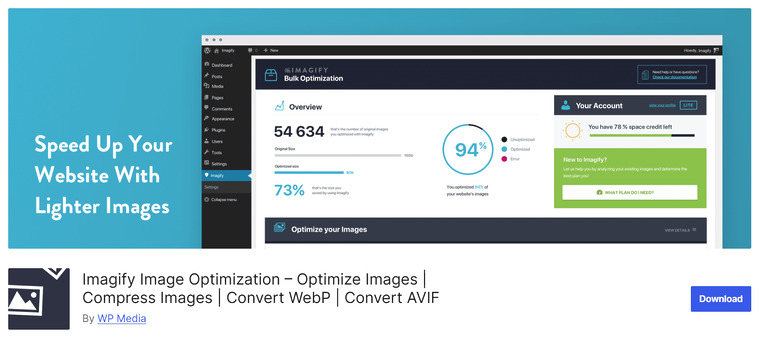
Imagify is a popular WordPress image optimization plugin built to help reduce file size without noticeable loss in quality. It offers multiple optimization levels from mild to aggressive, allowing site owners to choose the balance between quality and performance.
Imagify automatically compresses images on upload and includes a bulk optimization feature for existing media library items. The plugin also supports conversion to modern formats like WebP to further enhance page load times.
With easy integration into the WordPress Dashboard and compatibility with most themes and caching plugins, Imagify is suitable for blogs, business sites, and resource-heavy WordPress installations that aim for better performance and faster user experience.
Key Features
- Multiple compression levels: normal, aggressive, ultra
- Automatic optimization on upload
- Bulk optimization for the existing media library
- WebP image conversion support
- Compatible with popular caching and performance plugins
Pros
- Easy to use for beginners
- Supports WebP for faster loading
- Effective compression without quality loss
Cons
- The monthly quota can be restrictive on the free plan
- Some advanced features require a paid subscription
Pricing
Free tier available; paid plans start at around $5.99 per month based on quota.
3. Smush
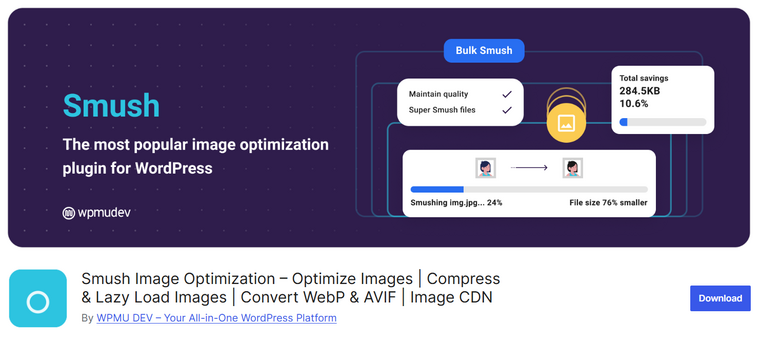
Smush is one of the most widely used WordPress image optimization plugins, designed to help reduce file sizes and improve page load performance without sacrificing visual quality.
It automatically compresses images on upload and includes a bulk optimizer for existing library files, making it ideal for both new and established sites. Smush also supports lazy loading to defer offscreen images and reduce initial page weight.
With a user-friendly interface in the WordPress dashboard, site owners can optimize images, set max dimensions, and review compression results without touching any code.
Its compatibility with most themes and popular caching plugins makes Smush a flexible option for blogs, business sites, and larger WordPress projects aiming for better performance.
Key Features
- Automatic image optimization on upload
- Bulk optimization for existing media
- Lazy loading support
- Max dimension resizing
- Dashboard compression statistics
Pros
- Beginner-friendly and intuitive
- Includes lazy loading out of the box
- Works with most themes and caching tools
Cons
- The free version has compression limits
- Some advanced features require pro
Pricing
Free version available; premium plans start at about $30 per year as part of the membership.
4. EWWW Image Optimizer
EWWW Image Optimizer is a versatile WordPress image optimization plugin that helps reduce file sizes while preserving image quality. It automatically compresses images on upload and can optimize existing media library images in bulk.
One of its strengths is flexibility. It works with both local optimization (on your own server) and optional cloud-based optimization via EWWW’s API. The plugin also supports modern image formats like WebP and AVIF and can generate multiple-sized images for responsive design.
EWWW Image Optimizer works with a wide range of WordPress setups and themes, making it suitable for sites of all sizes, including high-traffic blogs, business sites, and eCommerce stores that need efficient image delivery without compromising performance.
Key Features
- Automatic optimization on upload
- Bulk optimization for existing media
- WebP and AVIF conversion support
- Local and cloud-based optimization modes
- Resize and serve responsive images
Pros
- Flexible optimization options
- Works without a cloud API (local mode)
- Good for large image libraries
Cons
- Cloud features require credits
- Settings can be overwhelming for beginners
Pricing
Free version available; cloud-based plans start around $8 per month, depending on credits and usage.
5. reSmush.it
reSmush.it is a free WordPress image optimization plugin that uses an external API to compress JPEG, PNG, and GIF files without losing image quality. It’s known for its simplicity and straightforward setup.
Once activated, the plugin automatically optimizes images on upload and provides bulk optimization for your existing media library. While it doesn’t include as many advanced features as premium tools, reSmush.it is a solid choice for site owners who want reliable compression without cloud storage requirements or monthly fees.
Because it performs optimization through a third-party service, it minimizes load on your server while helping reduce page weight and improve overall site performance.
Key Features
- Automatic optimization for new uploads
- Bulk optimization for existing images
- Simple plugin with minimal configuration
- Uses an external API for compression
- No subscription or payment required
Pros
- Completely free with no limits
- Easy to set up and use
- Effective compression for most image types
Cons
- Fewer advanced options than premium plugins
- No WebP or next-gen format conversion built in
Pricing
Totally free to use with no premium plan required.
6. TinyPNG

TinyPNG is a well-known image compression service that focuses on reducing PNG and JPEG file sizes while preserving visual quality.
Available as a WordPress plugin, it integrates seamlessly with your media library to automatically optimize images on upload and during bulk processing. TinyPNG uses smart lossy compression techniques that shrink files without noticeable quality loss, improving page load times and reducing bandwidth usage.
The plugin also supports conversion to modern formats like WebP when paired with compatible extensions or CDN services. Its straightforward setup and reliable performance make TinyPNG a good choice for bloggers, small business sites, and developers who want a simple yet effective image optimization tool without heavy configuration.
Key Features
- Automatic optimization on upload
- Bulk optimization for existing images
- Lossy compression with minimal quality loss
- Compatible with WebP conversion tools
- Works with most WordPress themes
Pros
- Excellent visual quality retention
- Simple setup and easy use
- Reduces bandwidth and server load
Cons
- Limited optimization controls in the free version
- Requires credits for high-volume usage
Pricing
Free plan available; paid plans start at $39 per year, depending on volume.
7. Imsanity

Imsanity is a straightforward WordPress image optimization plugin focused on automatically resizing large images to reasonable dimensions. Instead of heavy compression or advanced CDN delivery, Imsanity helps reduce oversized uploads by scaling them down to preset maximum widths and heights.
This simple approach prevents unnecessarily large images from slowing down page load times and consuming excessive storage space. It works quietly in the background, resizing images on upload based on your chosen settings, and can also batch-resize older images in the media library.
For bloggers, business sites, or anyone who wants to keep file sizes reasonable without complex settings, Imsanity offers a low-maintenance solution that improves performance with minimal configuration.
Key Features
- Automatic image resizing on upload
- Batch resize for existing media library
- Customizable max width and height settings
- Simple interface with minimal options
- Reduces storage usage without hard compression
Pros
- Very easy to set up and use
- Helps prevent oversized images from slowing sites
- No cloud dependency or API required
Cons
- No WebP or AVIF conversion
- Not a full compression tool
Pricing
Completely free to use with no premium plan required.
Frequently Asked Questions
Now, let’s take a look at some frequently asked questions and answers about this topic.
Can I replace Optimole with a plugin that doesn’t rely on a CDN?
Yes. Many Optimole alternatives perform image optimization either on your server or via external compression APIs, without forcing a CDN. These plugins still reduce file size using compression and format conversion, but image delivery stays on your hosting environment instead of a cloud-based network.
Do Optimole alternatives support automatic image optimization?
Most good alternatives support automatic optimization on upload. This means new images are compressed, resized, and converted to modern formats without manual action, helping maintain performance across all WordPress uploads.
Will switching from Optimole affect my existing images?
It depends on the plugin. Some alternatives can bulk-optimize your existing media library, while others only optimize newly uploaded images. Look for tools that include bulk optimization and rollback options to safely manage previously optimized files.
Are Optimole alternatives compatible with caching and performance plugins?
Yes, most are designed to work alongside popular caching and performance plugins. Properly configured, they integrate smoothly with lazy loading, browser caching, and page optimization features without breaking layouts or image delivery.
Do Optimole alternatives support modern image formats like WebP and AVIF?
Many alternatives support next-generation formats such as WebP and, in some cases, AVIF. These formats significantly reduce image size while preserving quality, which improves page load times and Core Web Vitals scores.
Can I control image quality with an Optimole alternative?
Yes. Most alternatives provide quality controls, compression levels, and resizing rules. This allows you to balance visual quality and file size depending on your site’s design and audience needs.
Are free Optimole alternatives reliable for production websites?
Free versions are suitable for small to medium sites with moderate traffic. However, high-traffic or image-heavy websites often benefit from premium plans that include higher compression limits, better format support, and priority optimization features.
Conclusion
Choosing the right Optimole alternative depends on how much control, automation, and performance optimization your site needs.
Plugins like ShortPixel and Imagify work well for users who want strong compression with a simple setup, while Smush and EWWW Image Optimizer are ideal for sites that need bulk optimization and flexible settings.
Lightweight tools such as reSmush.it, TinyPNG, and Imsanity are better suited for basic image resizing and quick compression without complex configurations. No matter which plugin you choose, optimizing images will reduce page size, improve loading speed, and enhance user experience.
Test a few options on your site to find the balance between image quality, performance, and ease of use that fits your workflow best.
Which plugin are you going to use?
Let us know in the comments.